Why We’ve Updated Reporting in Boxly
Boxly’s new reporting system was built from the ground up to give you clearer, smarter insights, because the way you track leads, team performance, and conversions deserves better.
Our old reports offered the basics, but the need for more interactive, flexible, and accurate reporting became clear. You asked for more visibility, more control, and a better way to measure what matters. So we listened.
Now, with fully clickable dashboards, milestone tracking, and detailed team insights, your reports aren’t just numbers; they’re powerful tools to help you grow with confidence.
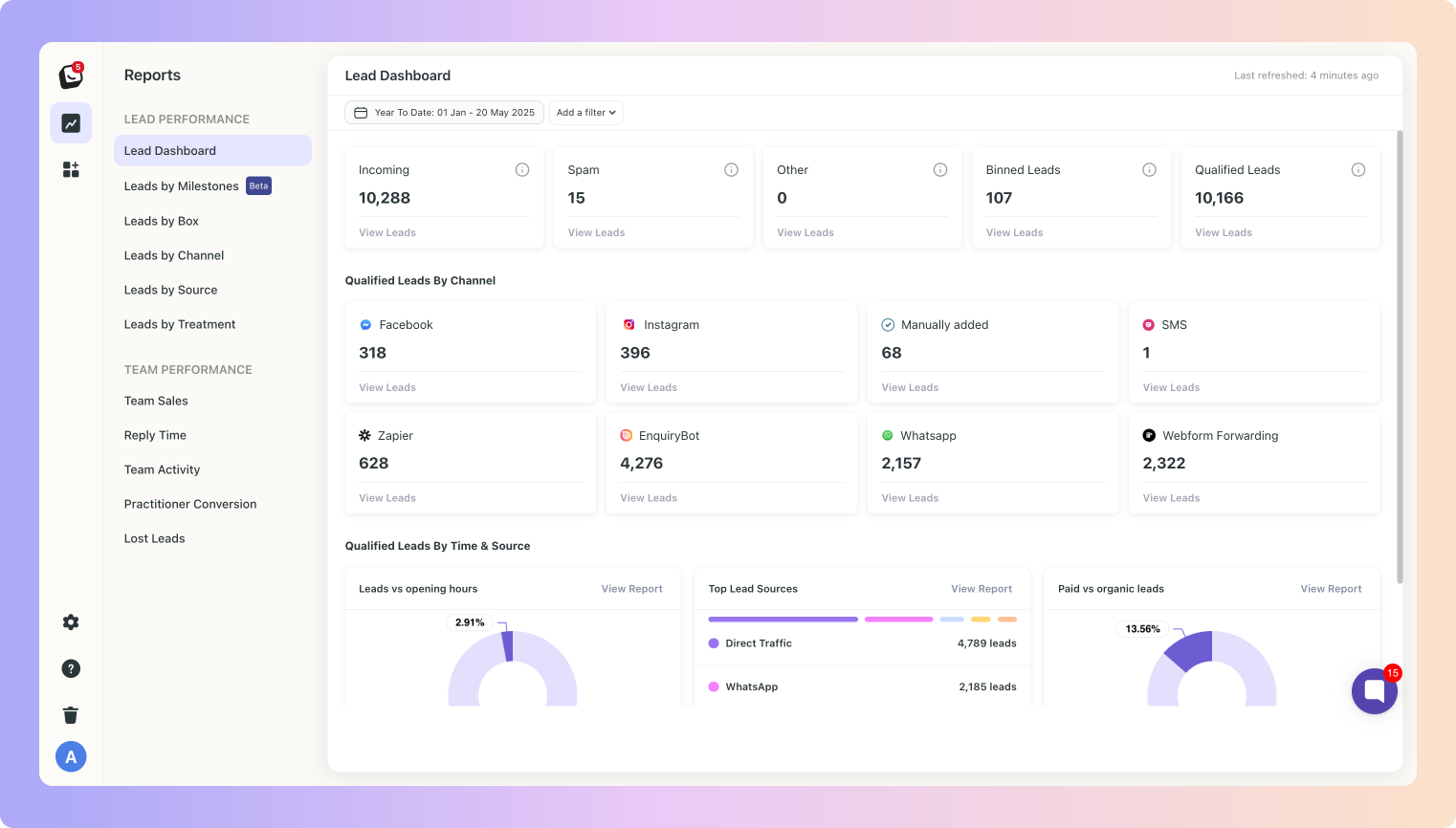
Here's how the old and new reports compare 👇
Feature/Area Component | Old Reporting | New Reporting |
Dashboard | Basic overview of total leads and source data. | Fully interactive dashboard with real-time data, clickable items, and drill-downs. |
Milestone Tracking | Single conversion stage only. Milestones weren’t yet in action - no milestone tracking. | Tracks multiple conversion milestones across the entire lead journey. Giving you a clear picture of a lead’s journey and where the drop-offs are. |
Click-through Capability | Limited – most numbers were static. | All major report metrics are clickable to show you the leads behind the numbers. |
Filters | Basic filters (date range, channel). | Advanced filters: user, source, channel, box, label, location, milestones. |
Activity vs Cohort Views | New Feature! | ✅ New views: Activity View and Cohort View were created for better funnel and time-based tracking. |
Source Reporting | Showed total number of leads per source. | Breaks down leads by source, filters by milestone, includes paid vs organic, and full drill-down. |
Team Performance | Total replies shown, but no timing or speed breakdown. | Detailed team reports: reply speed, reply channel, response % and performance by business hours. |
Team Activity Reporting | New Report! | ✅ New: tracks team actions like tasks added, messages sent, and logins. |
Box Reports (by Stage) | Limited insights by box. No context around skipped stages or time spent. | Shows progression, skipped stages, backward movement, and avg. time per stage. |
Practitioner Reports | New Report! | ✅ New: track conversion performance per practitioner using your milestones. You’ll have a clear picture of which practitioner has a good start to finish and what the process looks like. |
Lost Leads Report | (New Report) Basic lead drop-off info, no breakdowns. | Full lost reason and sub-reason tracking, with lead and value reporting. |
Qualified Leads | Your Qualified leads were Counted, but the definition varied. | Clearly defined as incoming leads minus spam and "Other" (AI-excluded) categories. |
Visual Design | Outdated, mostly static data. | Clean, modern design consistent with Boxly’s interface, real-time filters and visuals. |
Location Reporting | Outdated, mostly static data. | Clean, modern design consistent with Boxly’s interface, real-time filters and visuals. |