Notes have been enhanced with powerful new features:
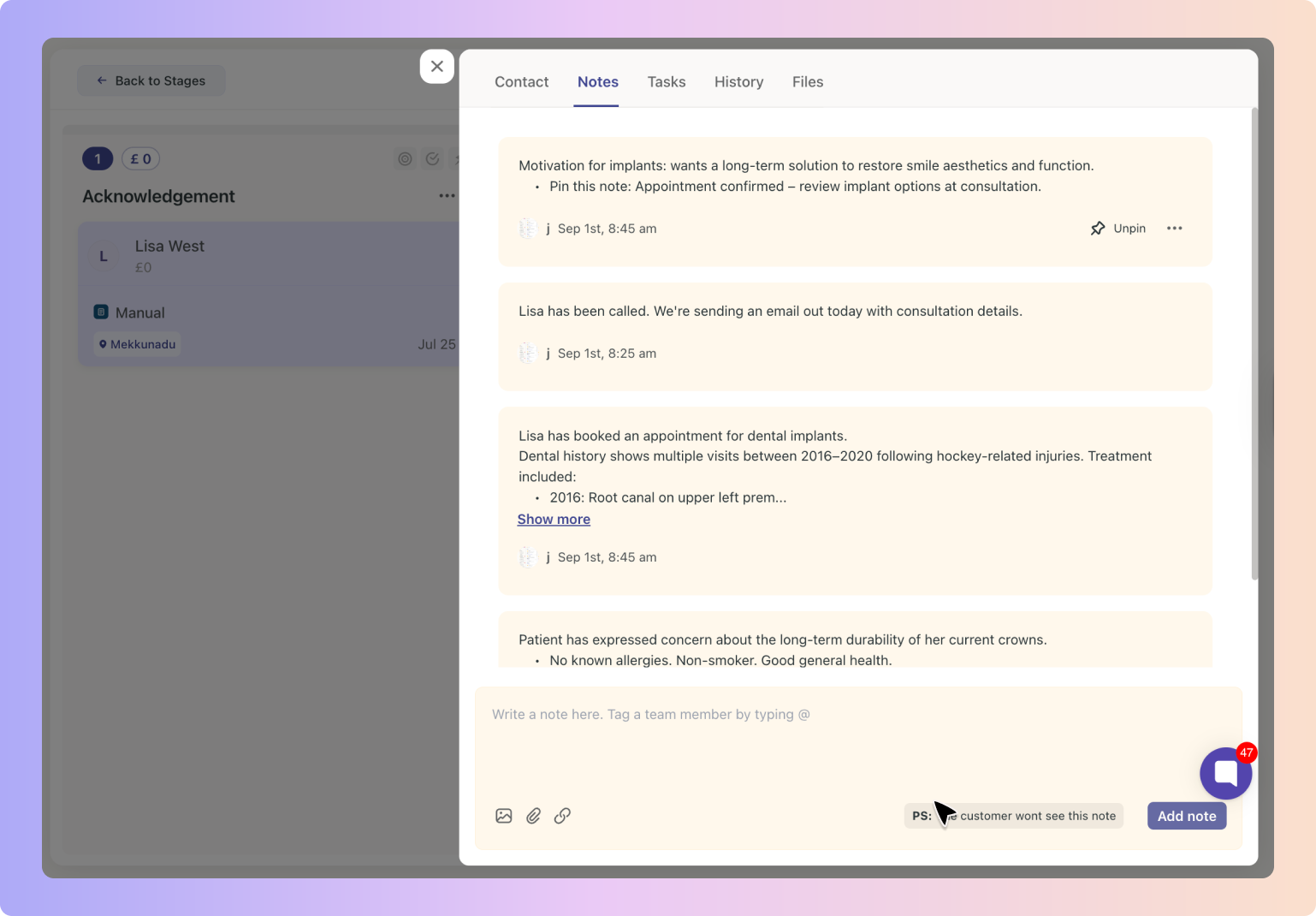
📌 Pin Notes to the top so your team never misses key info
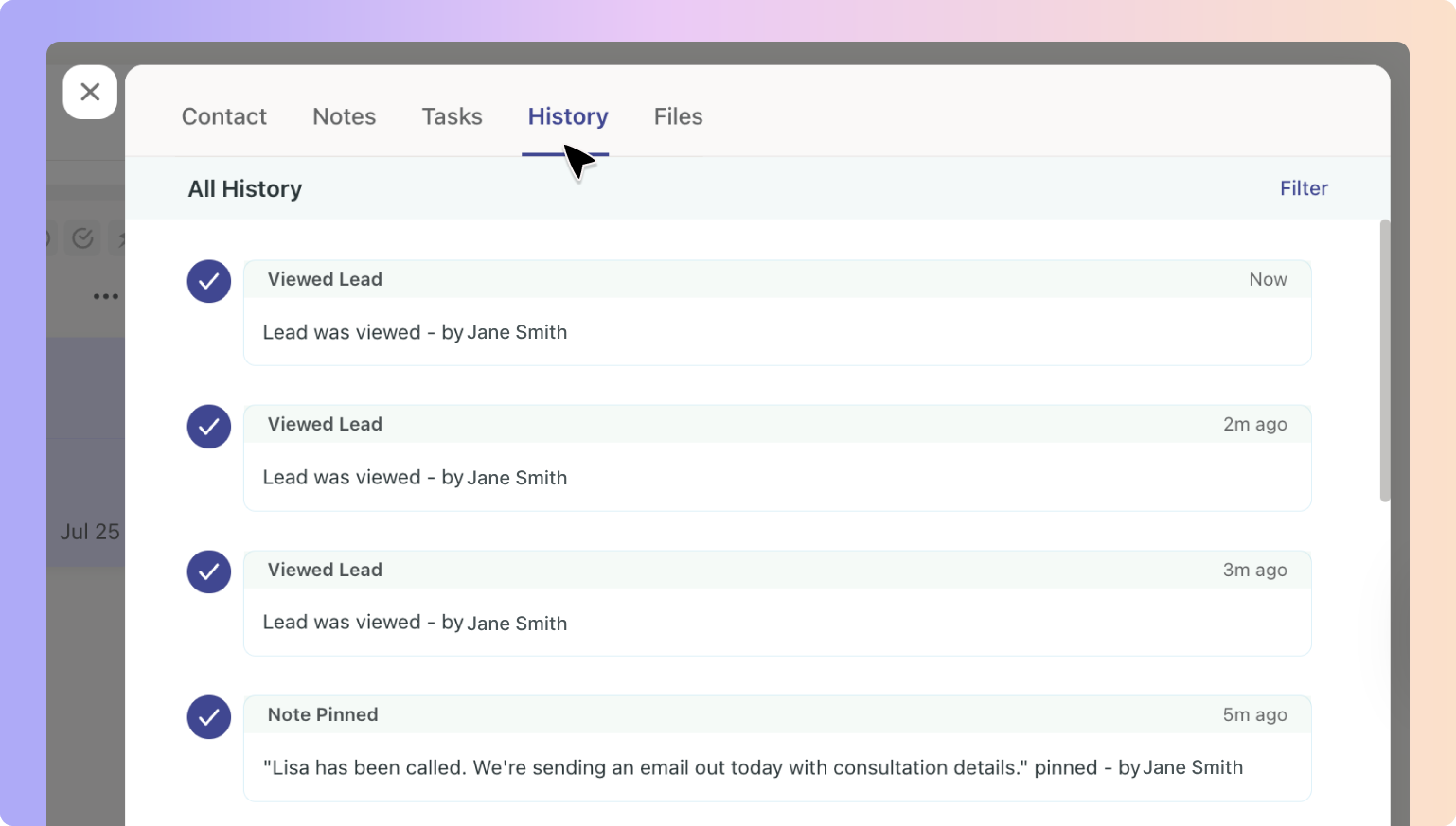
✏ Edit or delete Notes with full history tracking
📎 Attach images and files directly into Notes
🔍 Expand long Notes with a simple “Show more” option
Notes help your team capture important updates, observations and context about a lead. They are internal only and never visible to the lead. This makes Notes the perfect place for:
Call summaries
Next steps agreed within the team
Additional context from reception or practitioners
Attachments such as photos, scans or treatment plans
By keeping everything together in Boxly, your team stays aligned and no detail is missed.
You can add Notes in three easy ways:
Click on a lead and go to View Contact → Notes tab
Type your note and click Add Note
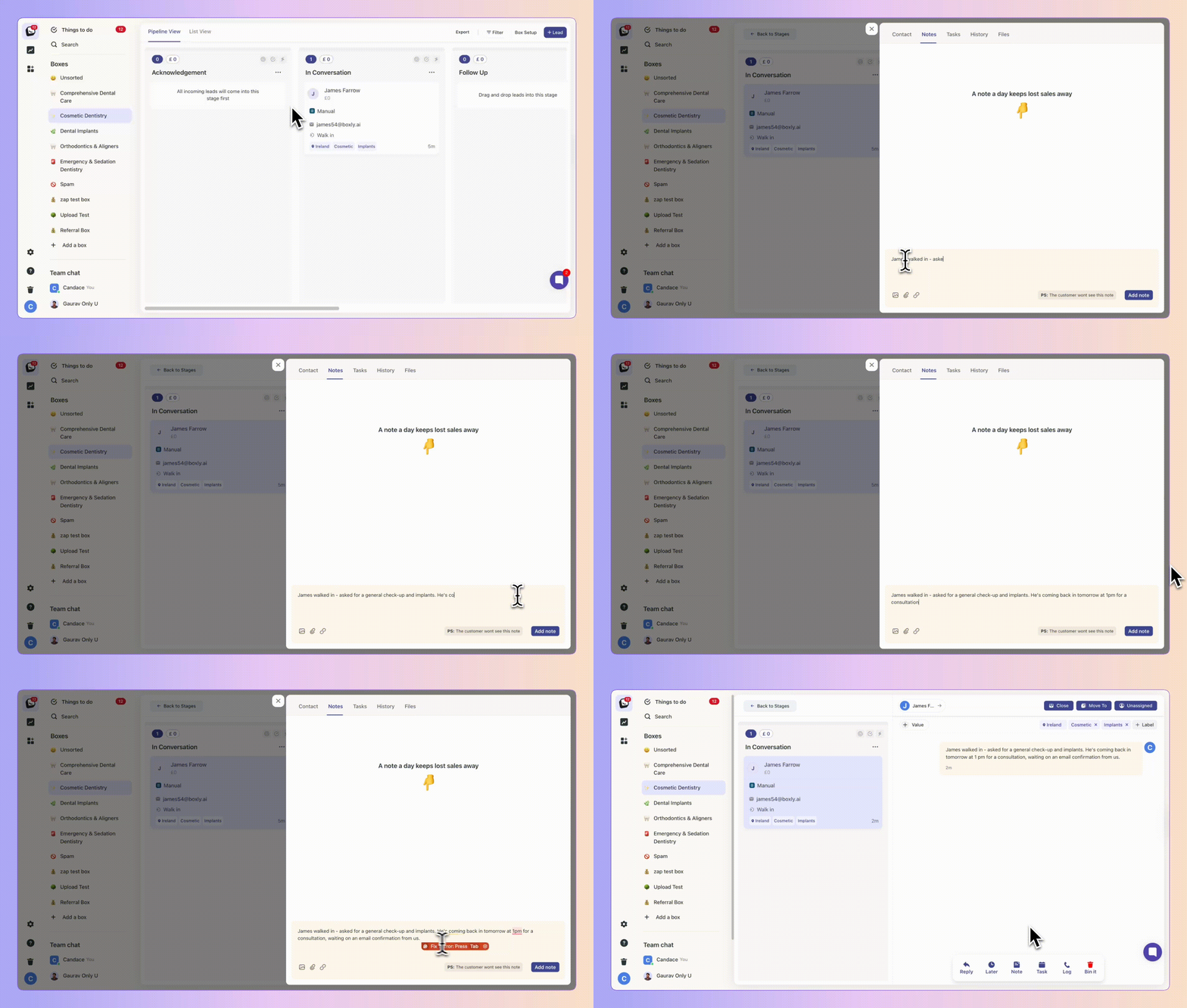
Scroll down in any lead profile to the Notes section
Enter your note and click Add Note
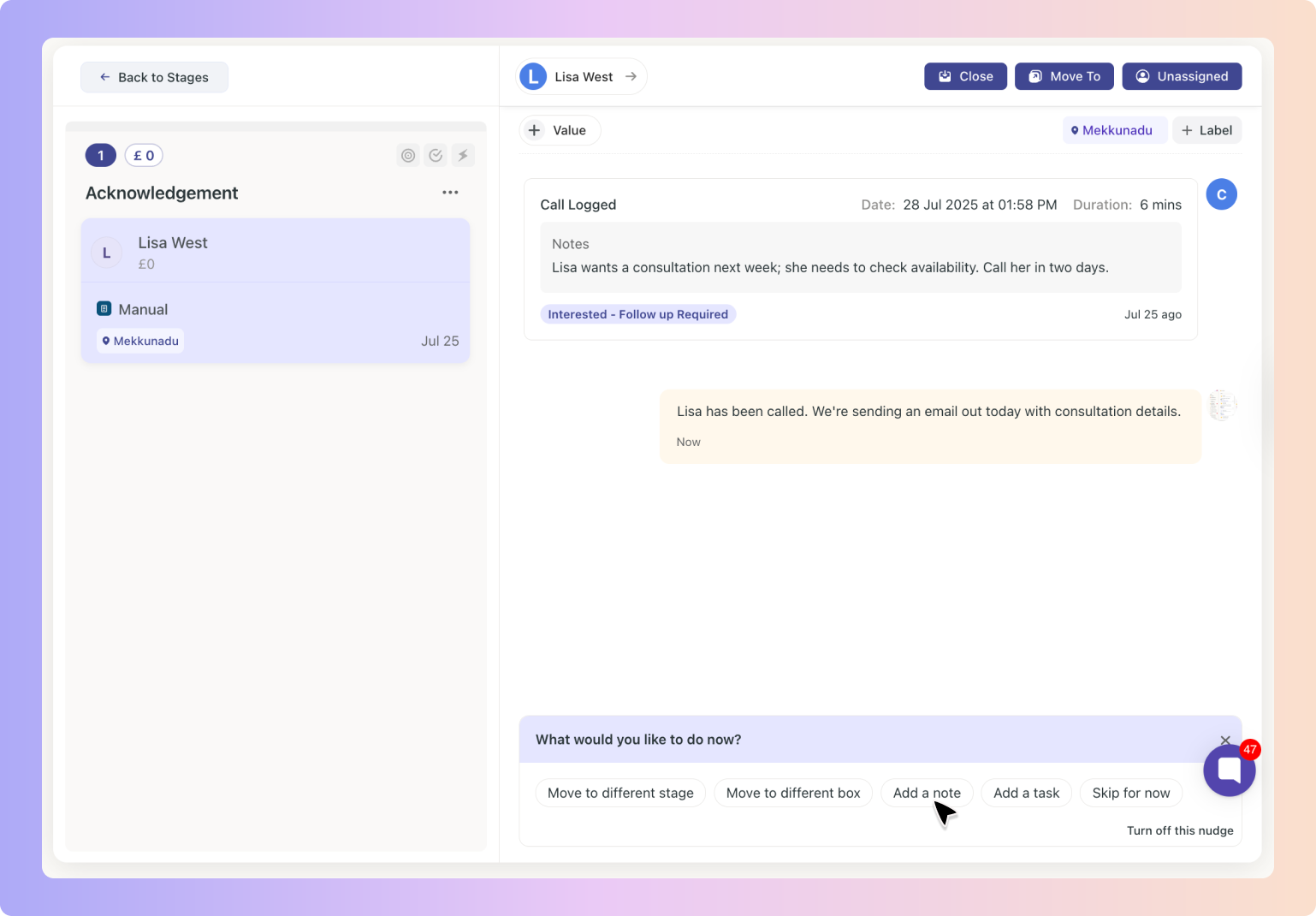
After updating a lead, for example by adding a task or changing a stage, the Nudge panel will appear
Select Add Note to instantly record context alongside the action
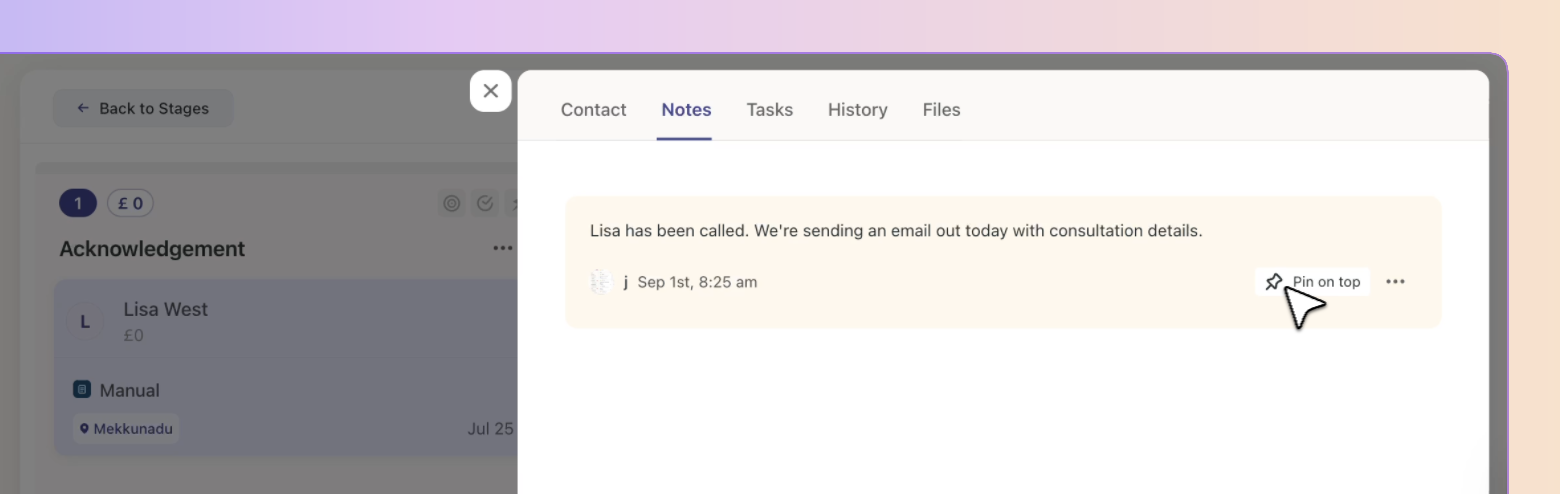
Highlight the most important information:
Click the 📌 pin icon to pin a Note
The most recently pinned Note always stays at the top
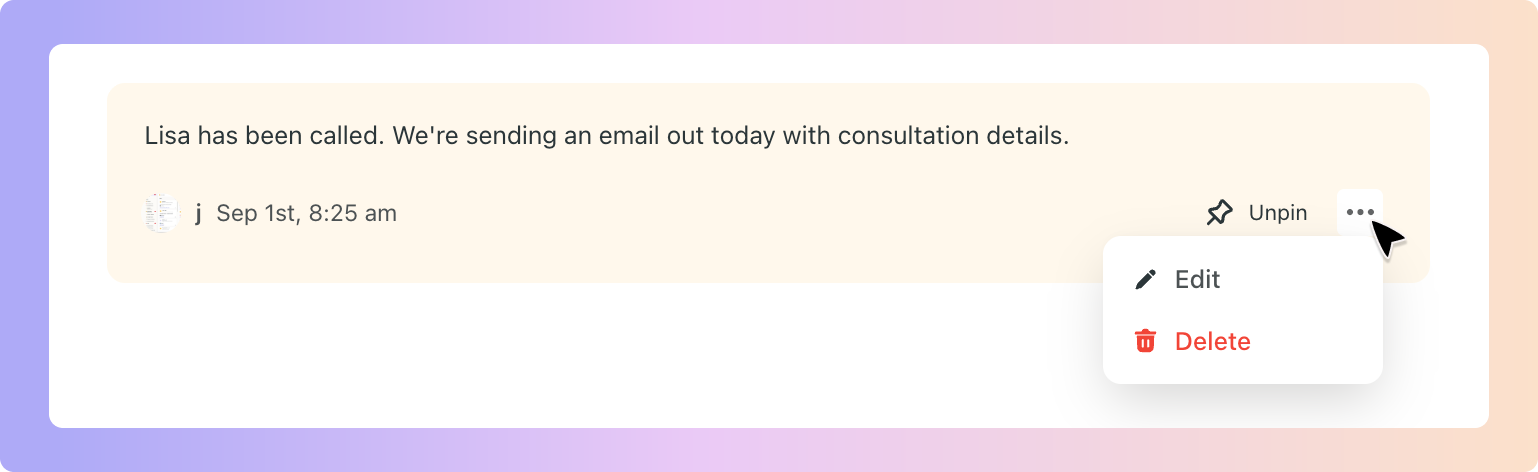
✅ Edit: Select the ✏ pencil icon to update the content
✅ Delete: Select the 🗑 trash icon to remove the Note

For readability, Notes longer than two or three lines are collapsed automatically.
Select Show more to expand and view the entire Note
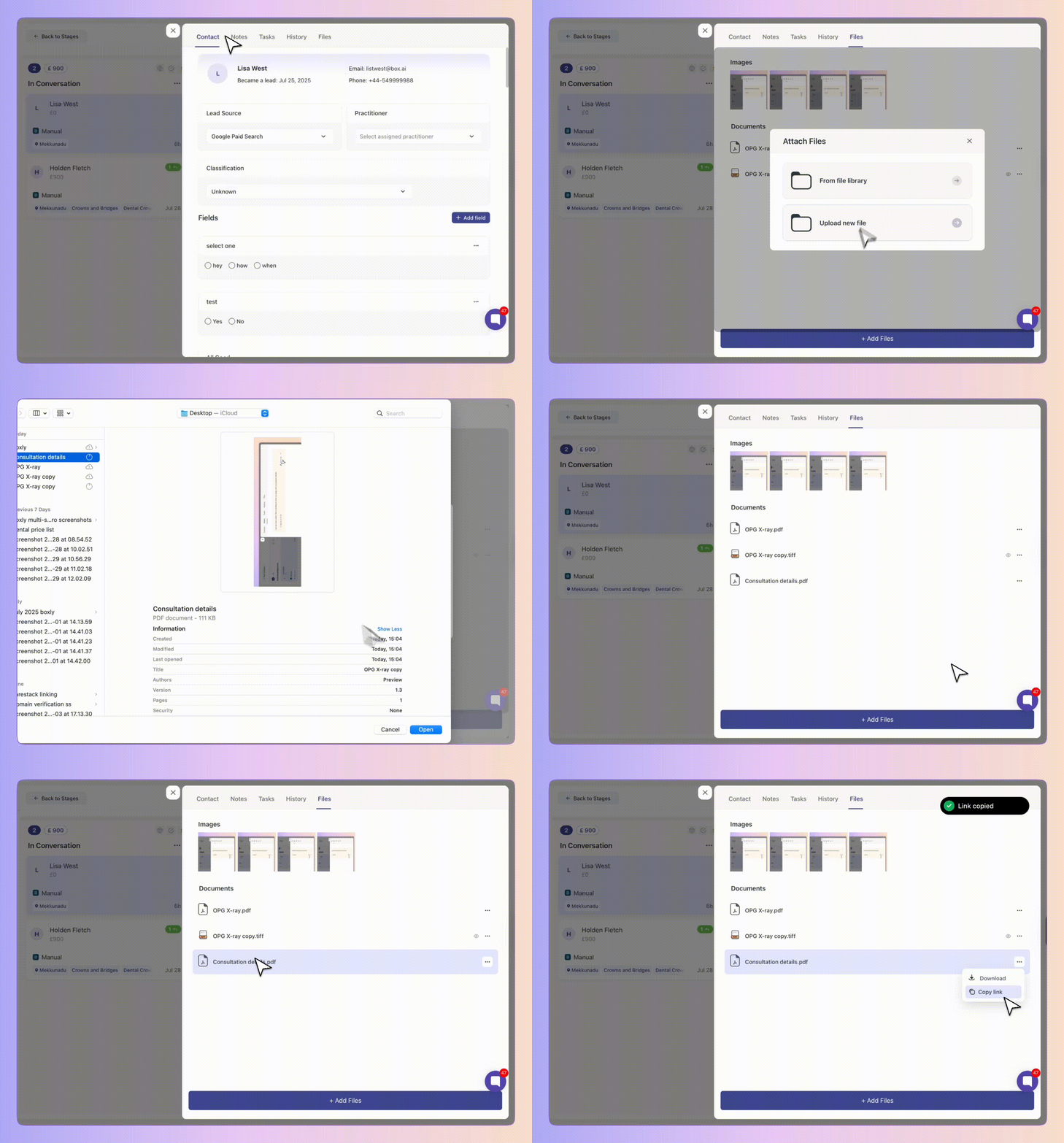
Make your Notes more useful by attaching visuals and documents:
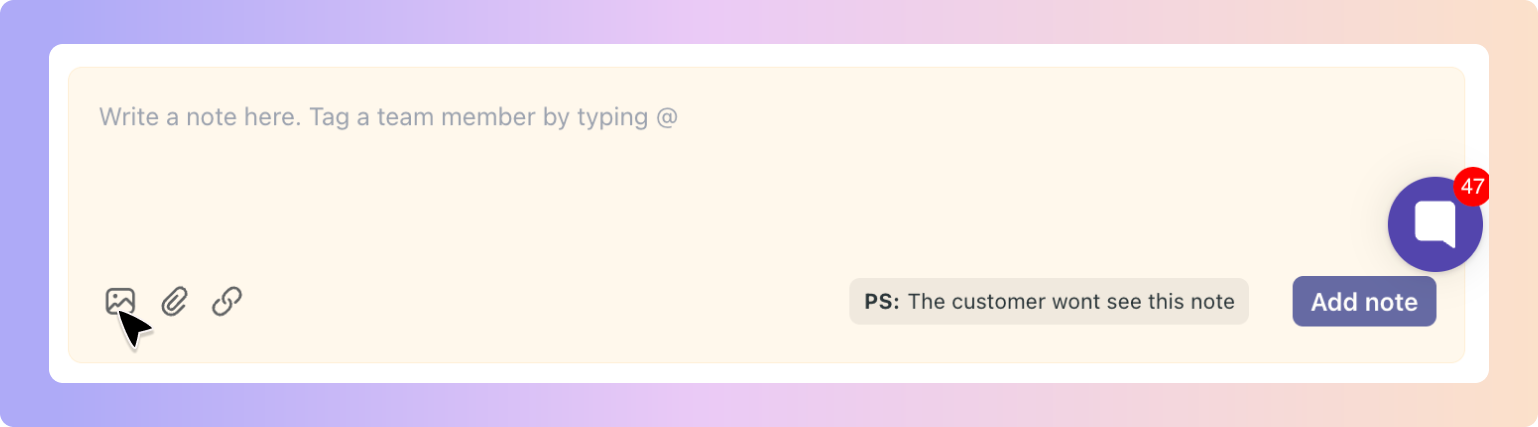
🖼 Use the image icon to upload pictures from your device
📁 Use the file icon to attach documents from the file library or upload new files
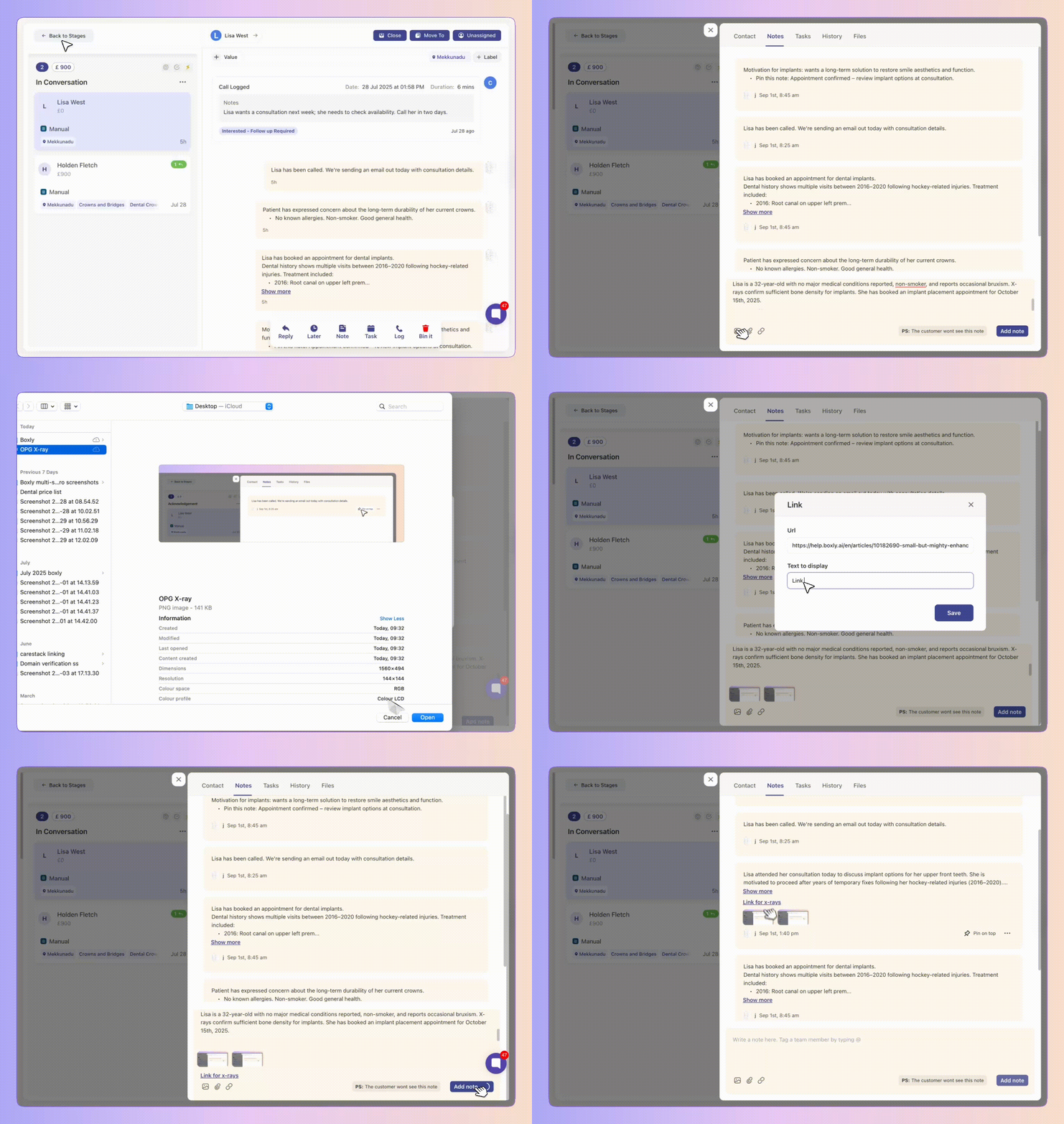
✅ Notes give your team a clear and structured way to capture everything that matters about a lead. Collaboration becomes smoother and the entire journey remains transparent.
Boxly is here to help you work smarter, not harder, let’s keep streamlining your lead management together! Contact us at [email protected] if you need any assistance!