Automatically update stages and create new leads based on Dentally appointments
Boxly’s Dentally Appointment Reasons settings ensure your pipeline always matches what is happening in your Dentally diary. You can control what Boxly does when:
A patient’s first appointment is created in Dentally
A brand-new patient books an appointment in Dentally
This prevents the need for manual movements and keeps your pipeline clean.
“Link existing leads to new first appointments in Dentally and move them to the mapped stage.”
When enabled, Boxly will only take action on the patient’s first appointment created in Dentally. Any future appointments for the same patient will not move the lead again, unless you manually change the lead’s stage.
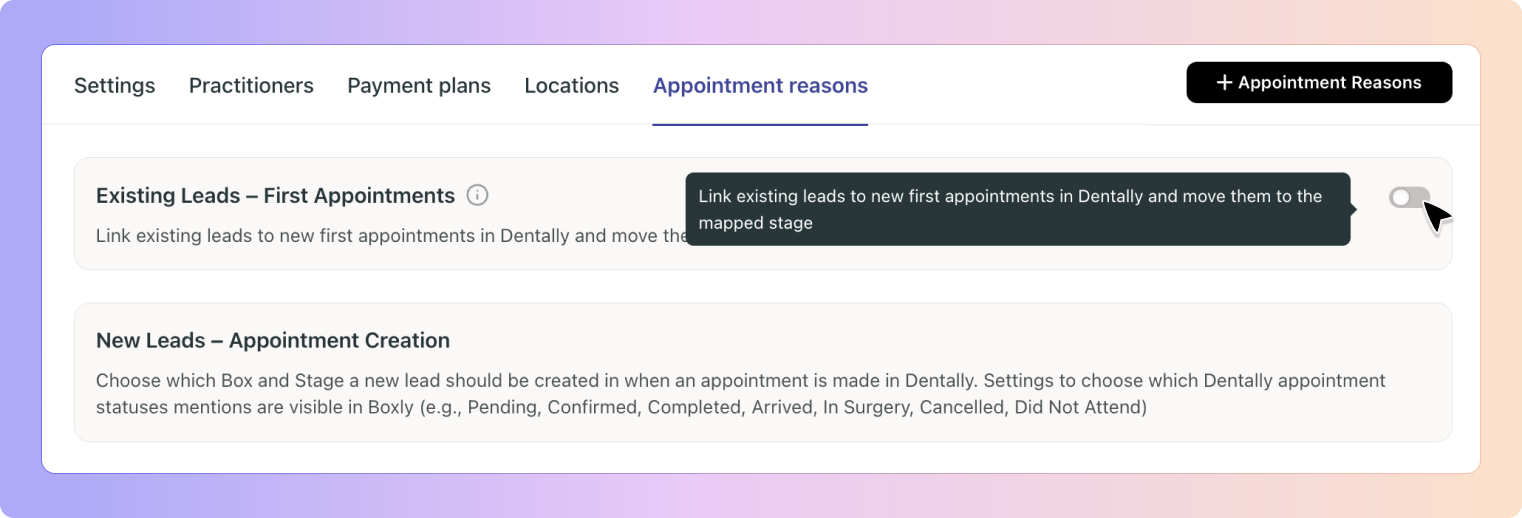
When Dentally creates a first appointment:
Boxly checks if the patient already exists as a lead using their email address and phone number
If a match is found, Boxly links this first appointment to the existing lead
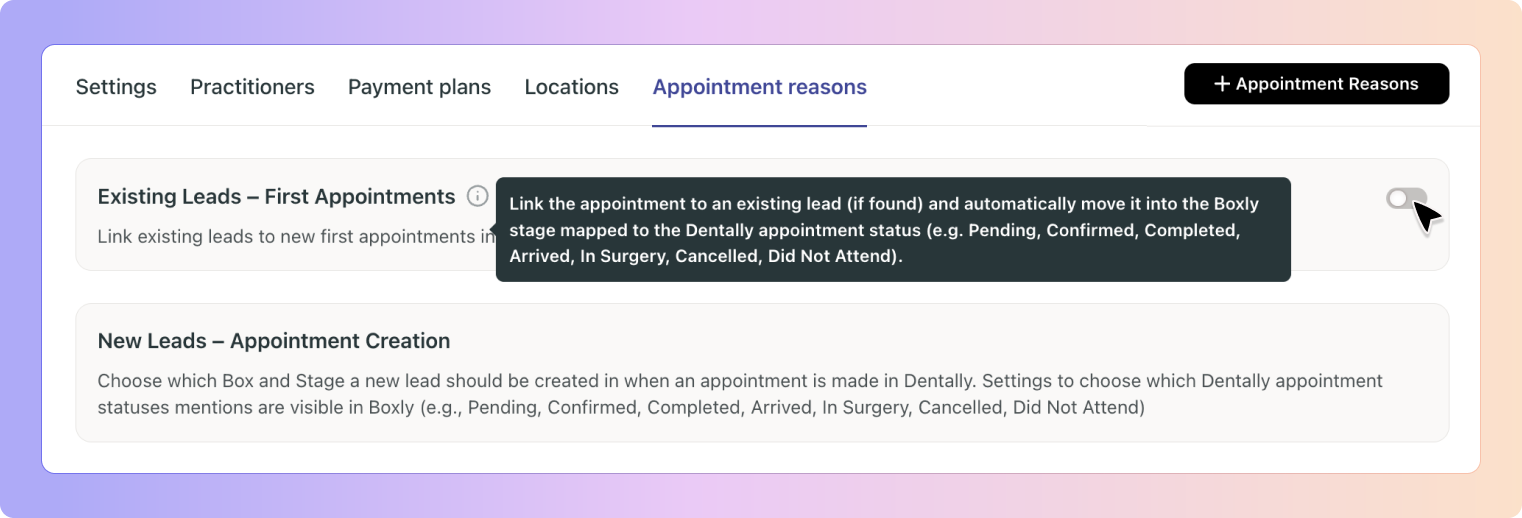
Boxly automatically moves the lead to the Boxly stage mapped to the Dentally appointment status.
Pending
Confirmed
Completed
Arrived
In Surgery
Cancelled
Did Not Attend
“Choose which Box and Stage a new lead should be created in when an appointment is made in Dentally.”
This controls what Boxly does when a first-time patient books an appointment in Dentally and does not yet exist as a lead in Boxly whether the booking is made through the online portal or entered directly by the reception team in Dentally.
Which Box the new lead should be created in
Which Stage the lead should enter
Your appointment reasons are based on your Dentally Appointment Reasons, these can be viewed here:
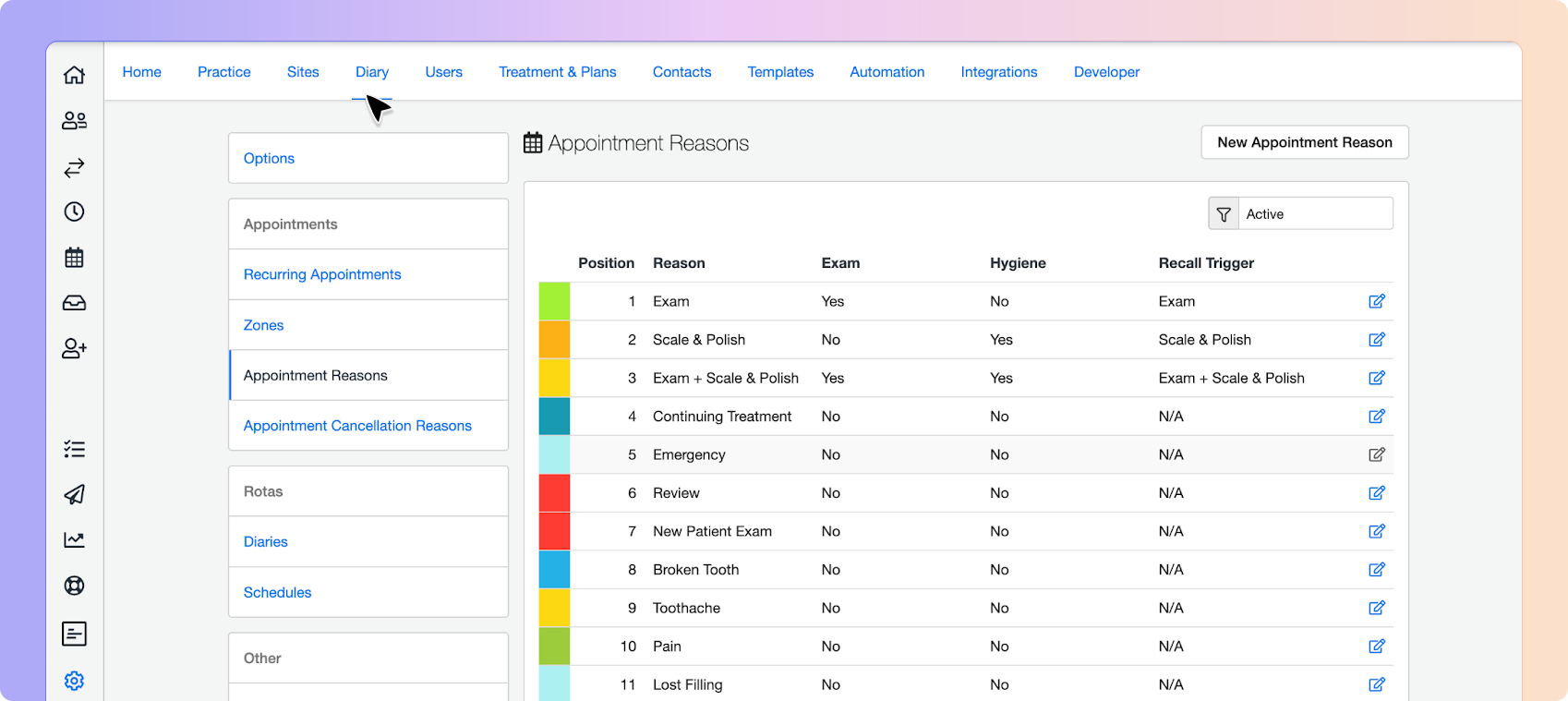
Dentally Reason: Pain
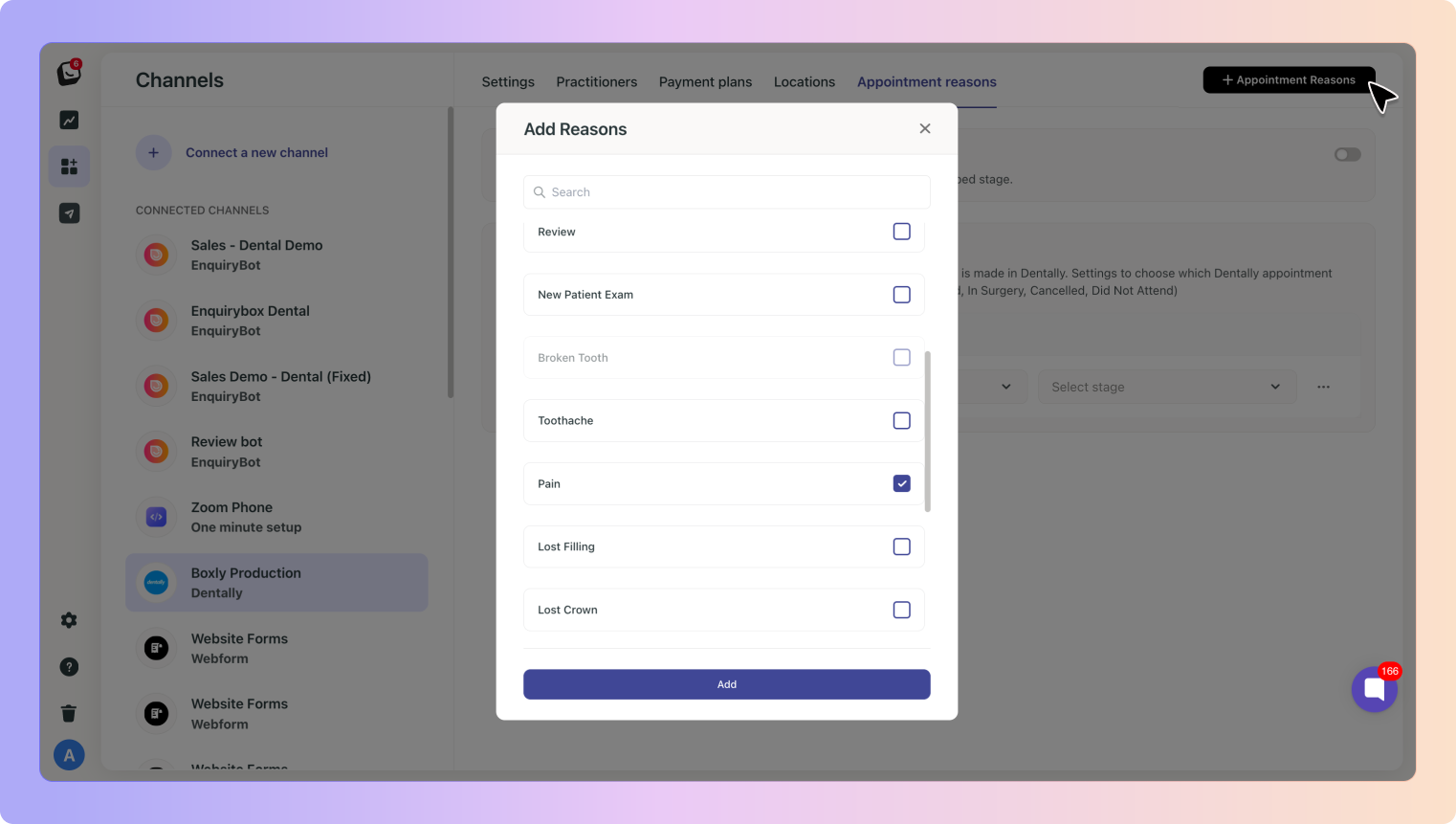
Mapping:
Box → Emergency Dental
Stage → Booked Appointment
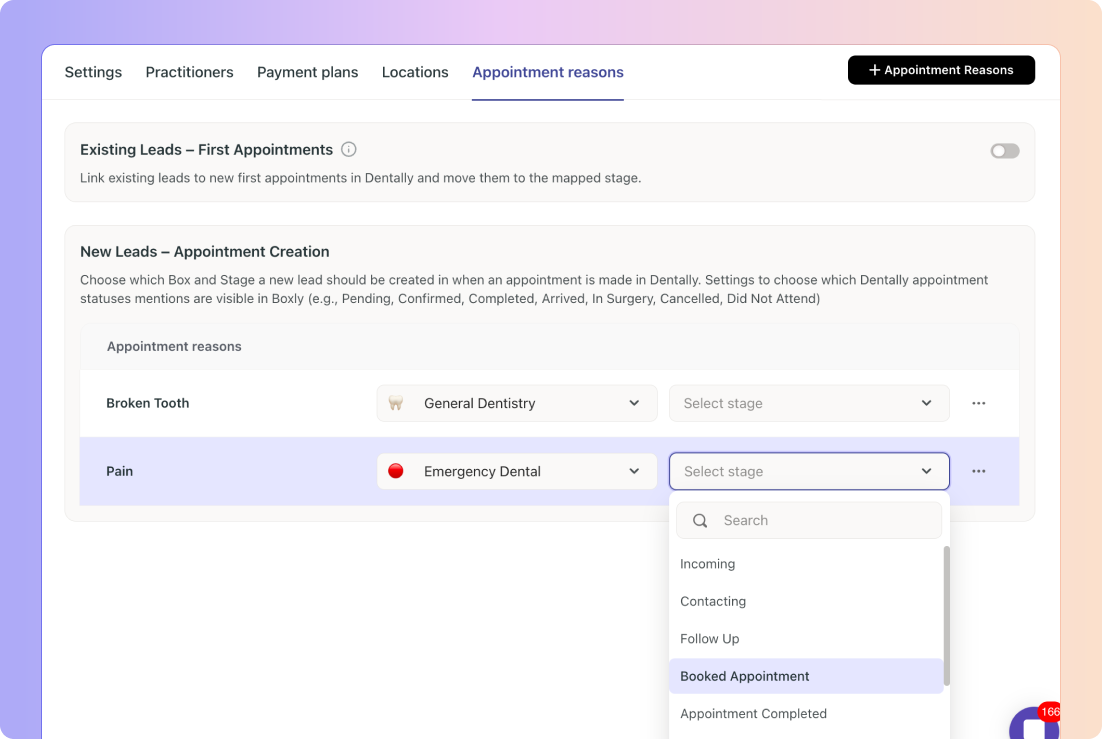
When Dentally creates the first appointment for that patient:
➡ Boxly automatically creates a new lead
➡ Places it into Emergency Dental
➡ Moves it to Booked Appointment
➡ Tracks future status updates for that first appointment, once the lead hits the stage you have linked to the “Completed” status, no further movements will happen.
Boxly only creates a new lead when the first appointment is created for that patient in Dentally.
Any additional appointments will not create duplicates, Boxly will add a note any time a new appointment is booked for that patient in the lead card.
If John has previously had a hygiene appointment and then books an implant appointment, Boxly won’t create a new Dentally lead for him. Instead, it will simply add a note to his existing lead indicating that he has booked a new appointment. If he didn’t already have a lead in Boxly, no new lead would be created, as this is not their first appointment with your practice.
To ensure:
✔ A clean pipeline
✔ No duplicate movements
✔ No “stage jumping” from review or hygiene appointments
✔ More accurate reporting
✔ Better automation triggers
✔ No duplicated leads for multi-booking patients
Boxly focuses on the very first appointment created for each patient, as this represents the true point of conversion in your pipeline.
🦷 Dentally Appointment Status Linking in Boxly
Guide to Dentally Appointment Status Linking in Boxly
Boxly is here to help you work smarter, not harder, let’s keep streamlining your lead management together! 🎉
Contact us at [email protected] if you need any assistance!