Connect SOE (Exact) to Boxly to create patients and book appointments in Exact straight from a Boxly lead, so your team doesn’t have to type the same details twice.
This article covers:
Connecting Exact
Mapping your locations and practitioners
Creating a patient, or linking one already in Exact
Booking and syncing appointments
What doesn’t sync
Once Exact is connected, you can:
Create patients in Exact from a Boxly lead
Book appointments in Exact from Boxly
Manually sync appointments created in Exact into Boxly
View appointment details inside Boxly
Keep appointment cancellation statuses up to date
Link a lead to a patient who’s already in Exact, so you don’t create duplicates


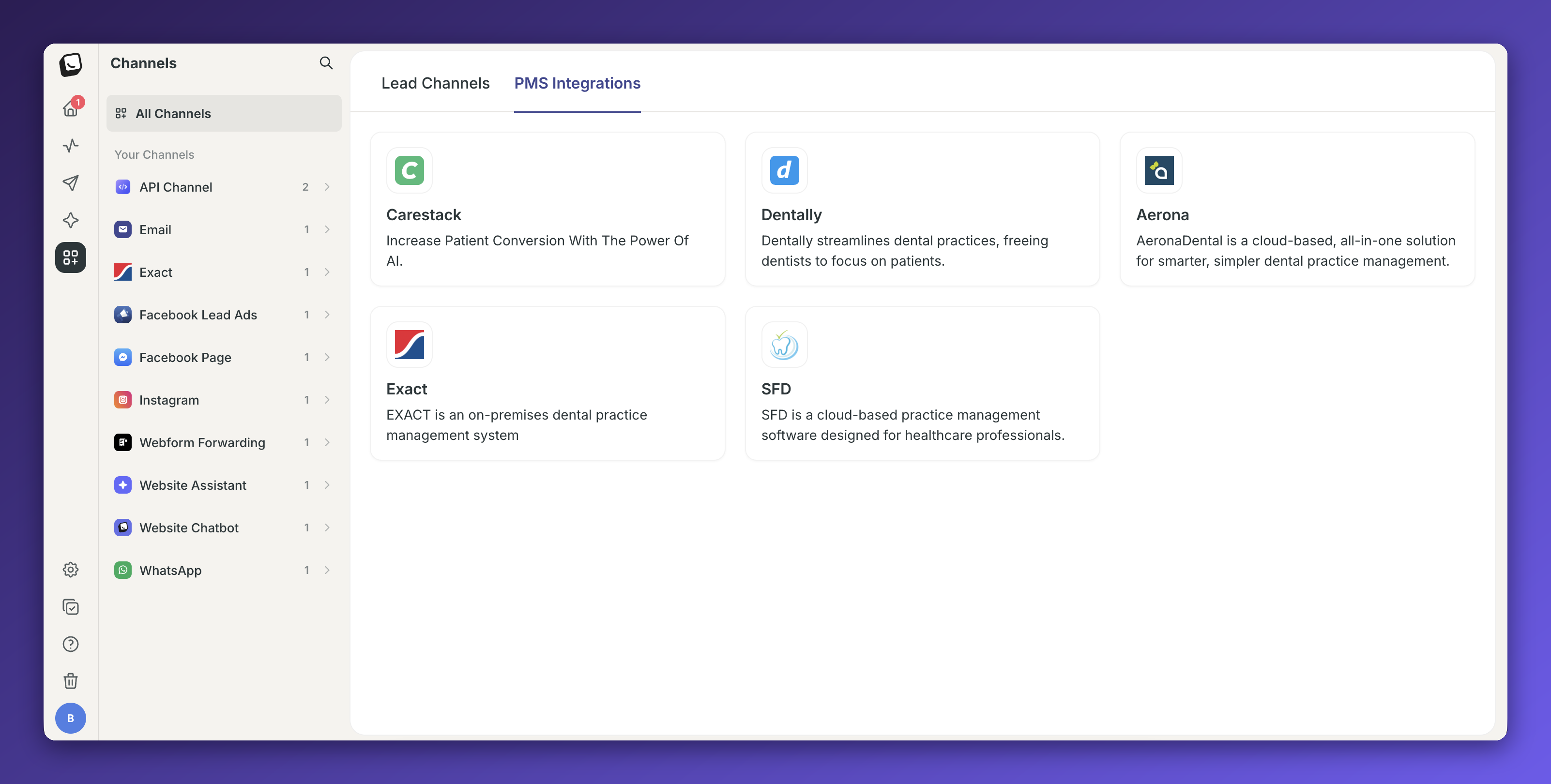
✅ Go to Boxly → Channels → PMS Integrations
✅ Select Exact
✅ Click Connect Exact
✅ Enter your Practice ID and click Connect Exact.
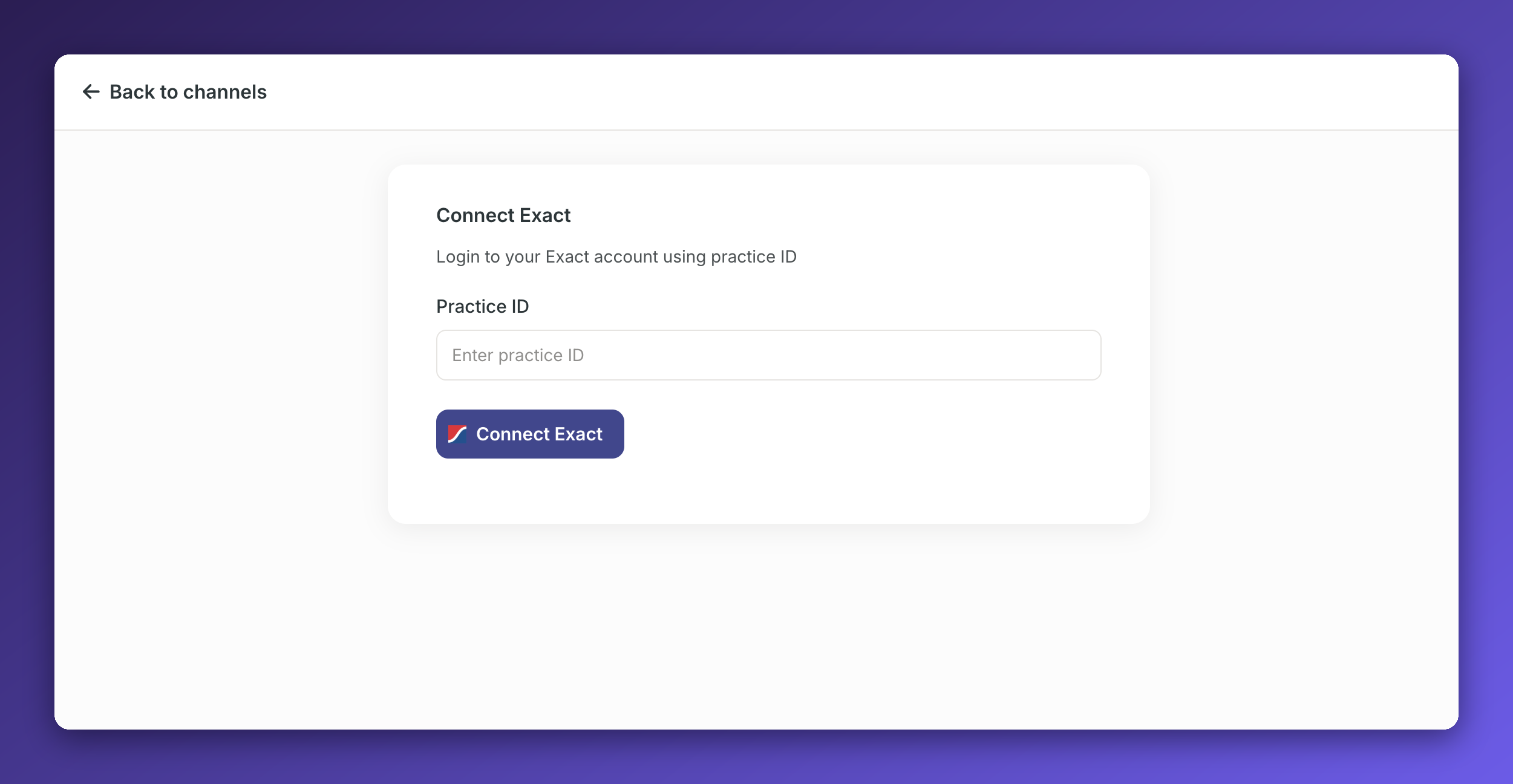
✅ You’ll be redirected back to Boxly once the connection is successful
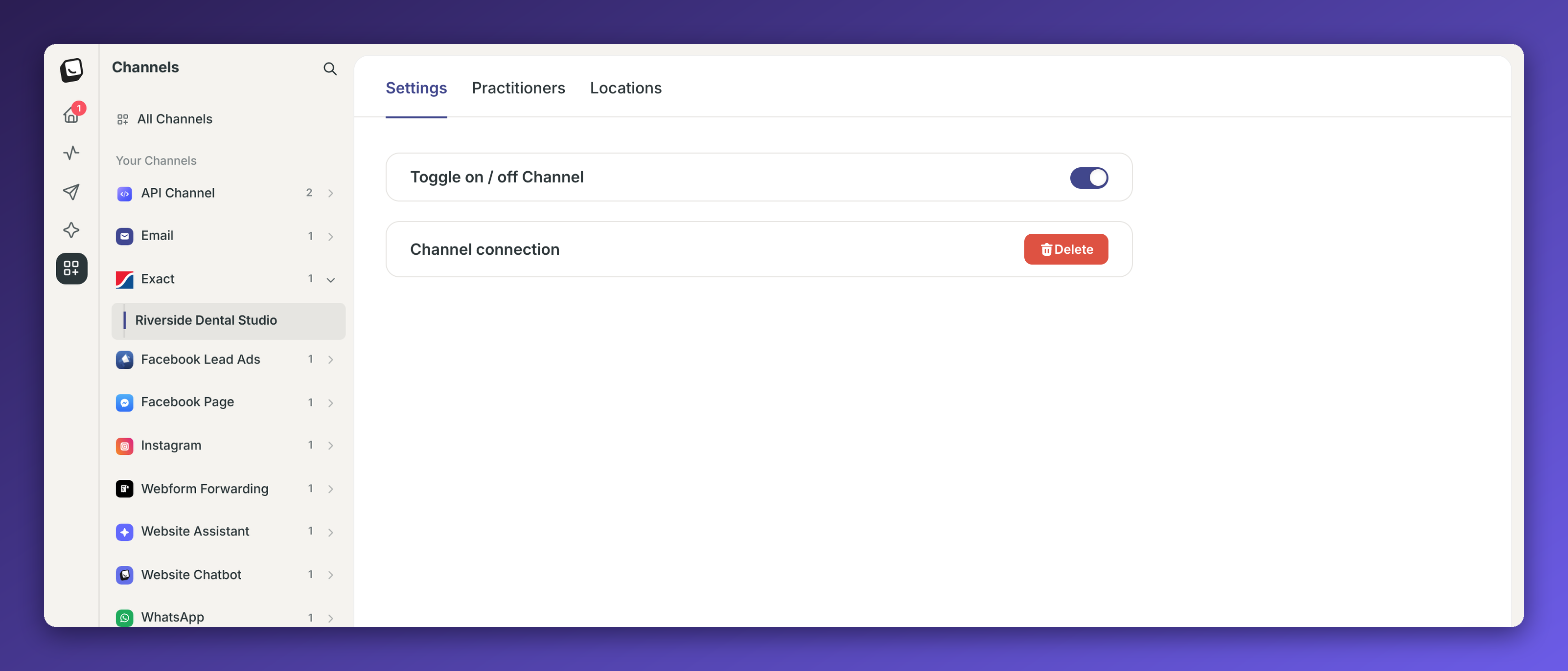
Once connected, Exact appears under Your Channels, with Settings, Practitioners and Locations tabs.
Map your locations and practitioners before you create patients, so each patient goes to the right Exact location and practitioner.
Go to Settings in Boxly
Add all required locations and practitioners
Go to Channels → CONNECTED CHANNELS → Exact
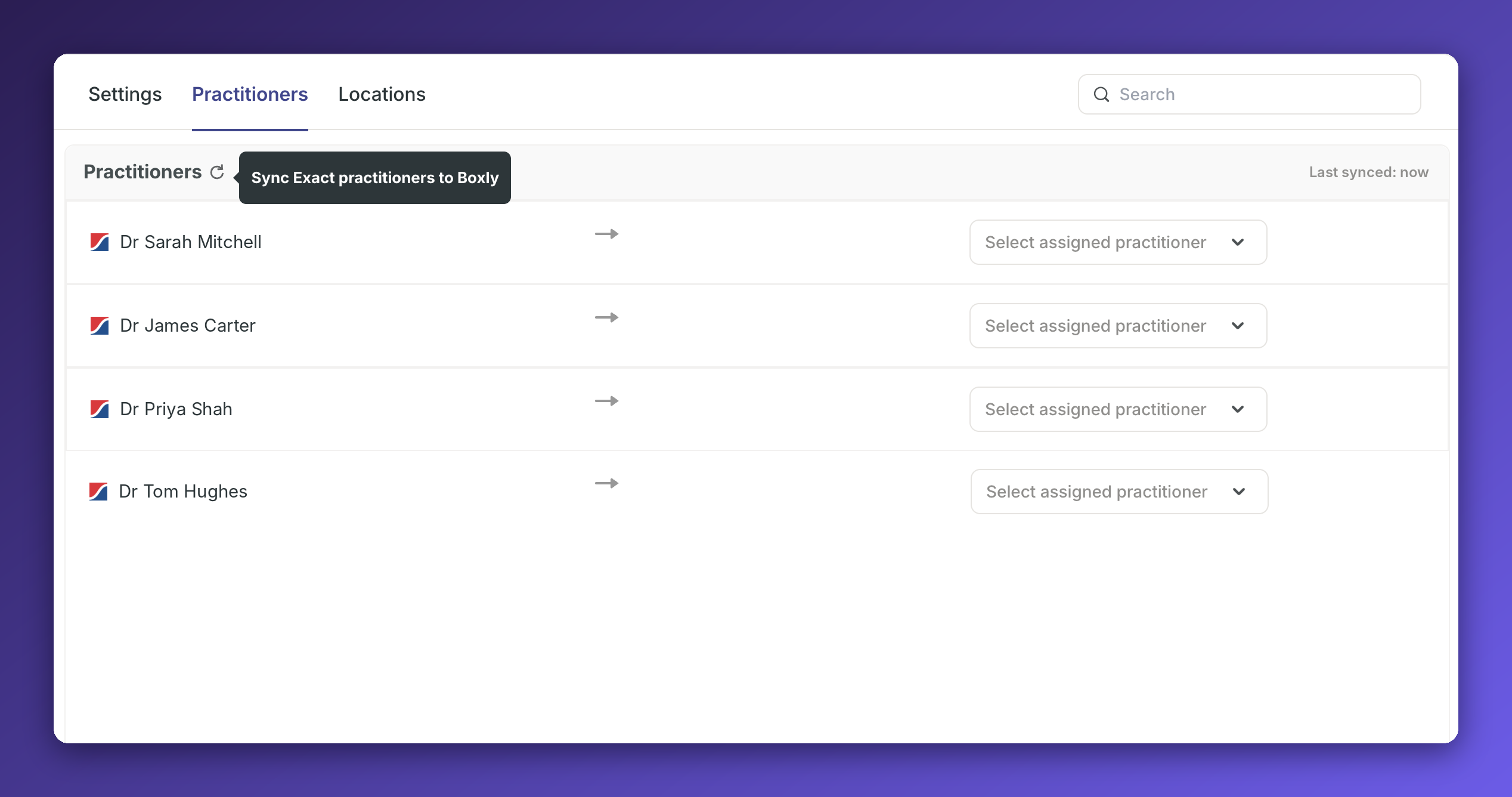
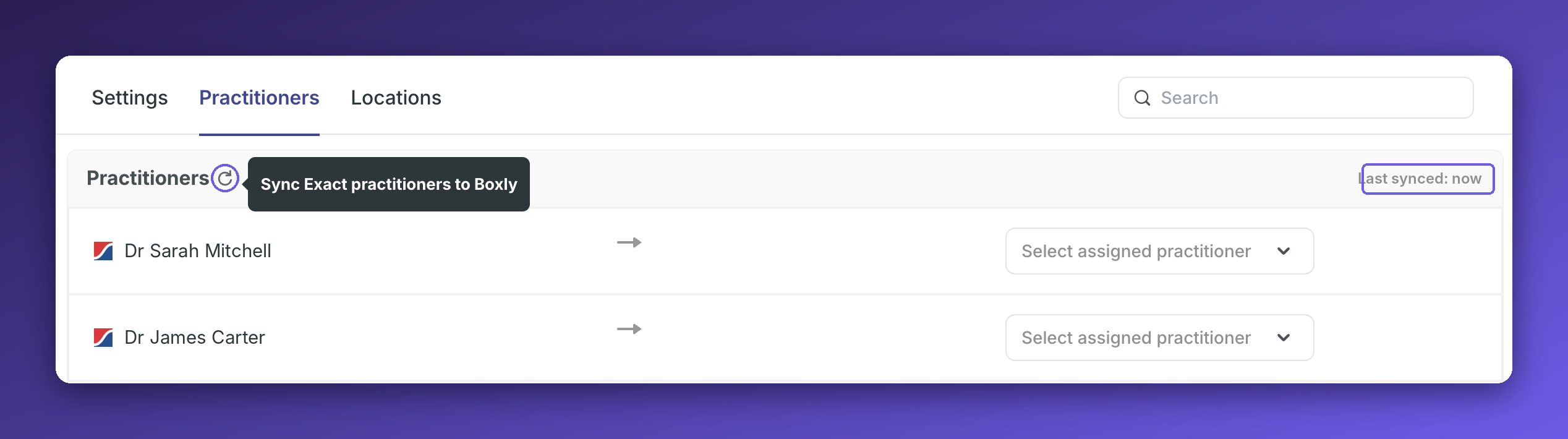
Go to Practitioner tab → Click the Sync icon to bring in all practitioners, then map each Boxly practitioner with the corresponding SOE(Exact) practitioner
Go to Locations tab → Click the Sync icon to bring in all locations, then map each Boxly location with the corresponding SOE(Exact) location
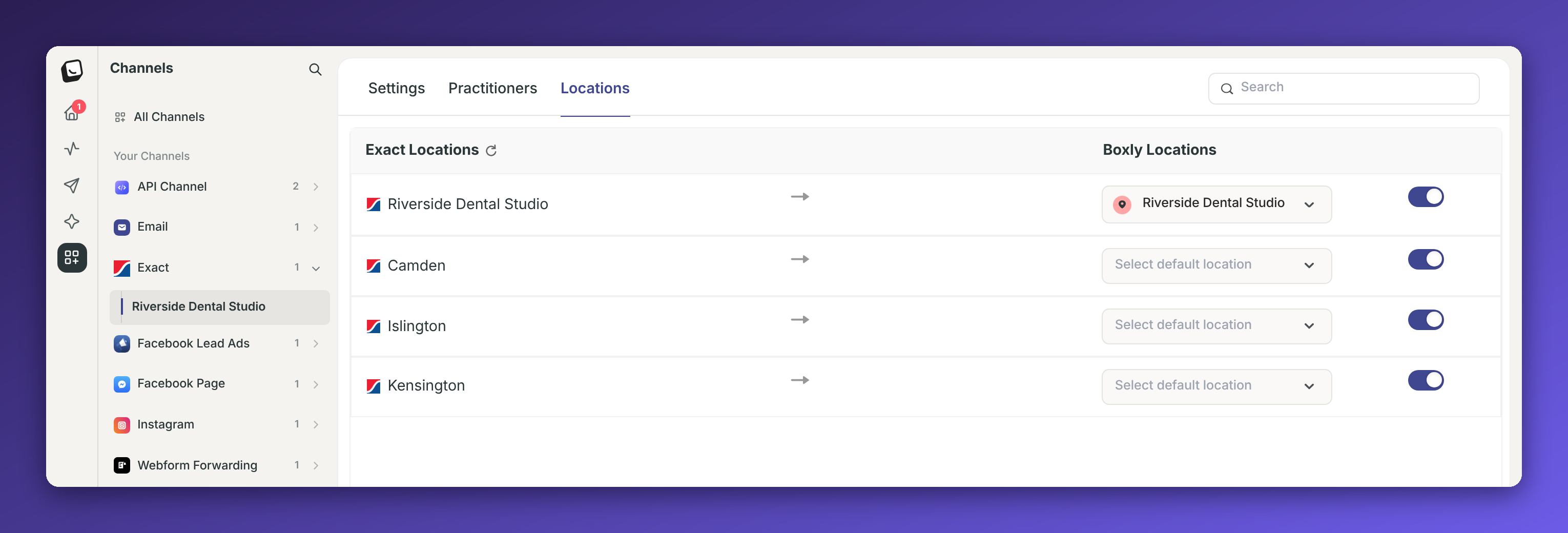
Click the sync icon any time you add a location or practitioner in Exact. Last synced at the top right shows when the list was last updated.

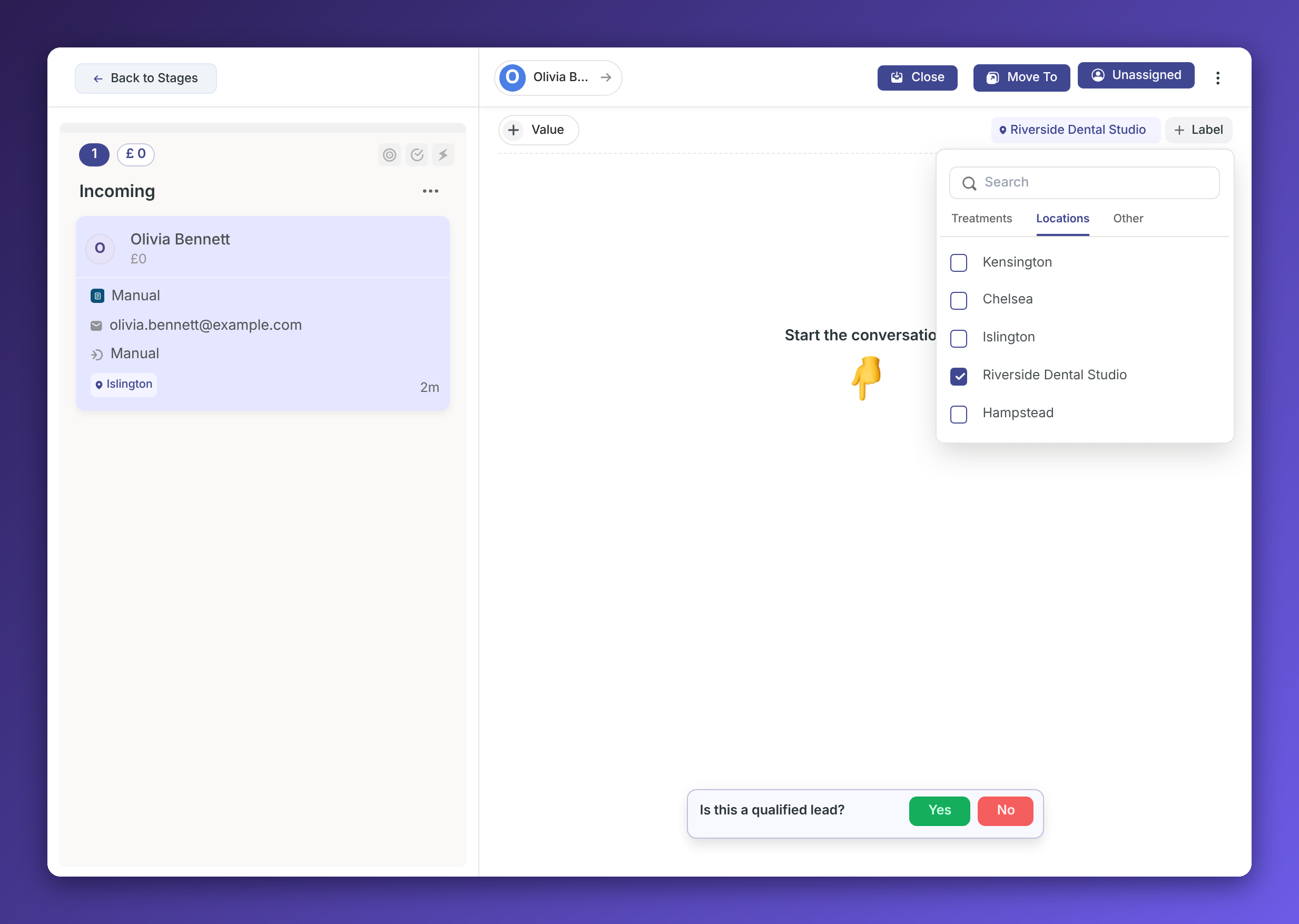
Open the lead and add a location label that’s mapped to an Exact location.
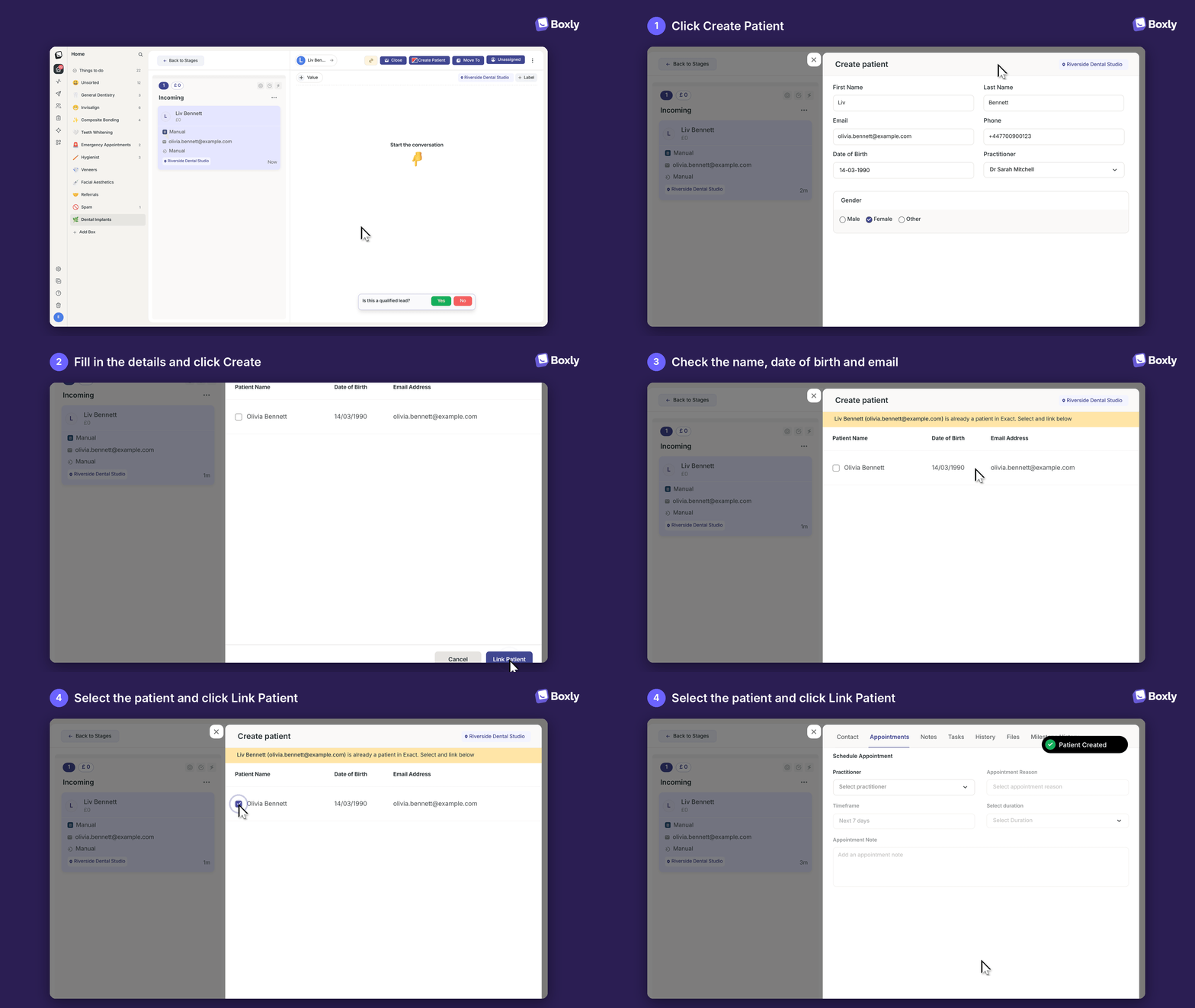
Click “Create Patient” once the button appears in the top bar.
Check the patient’s phone number, add their date of birth, choose their practitioner, then click Create. The patient is created in Exact straight away.
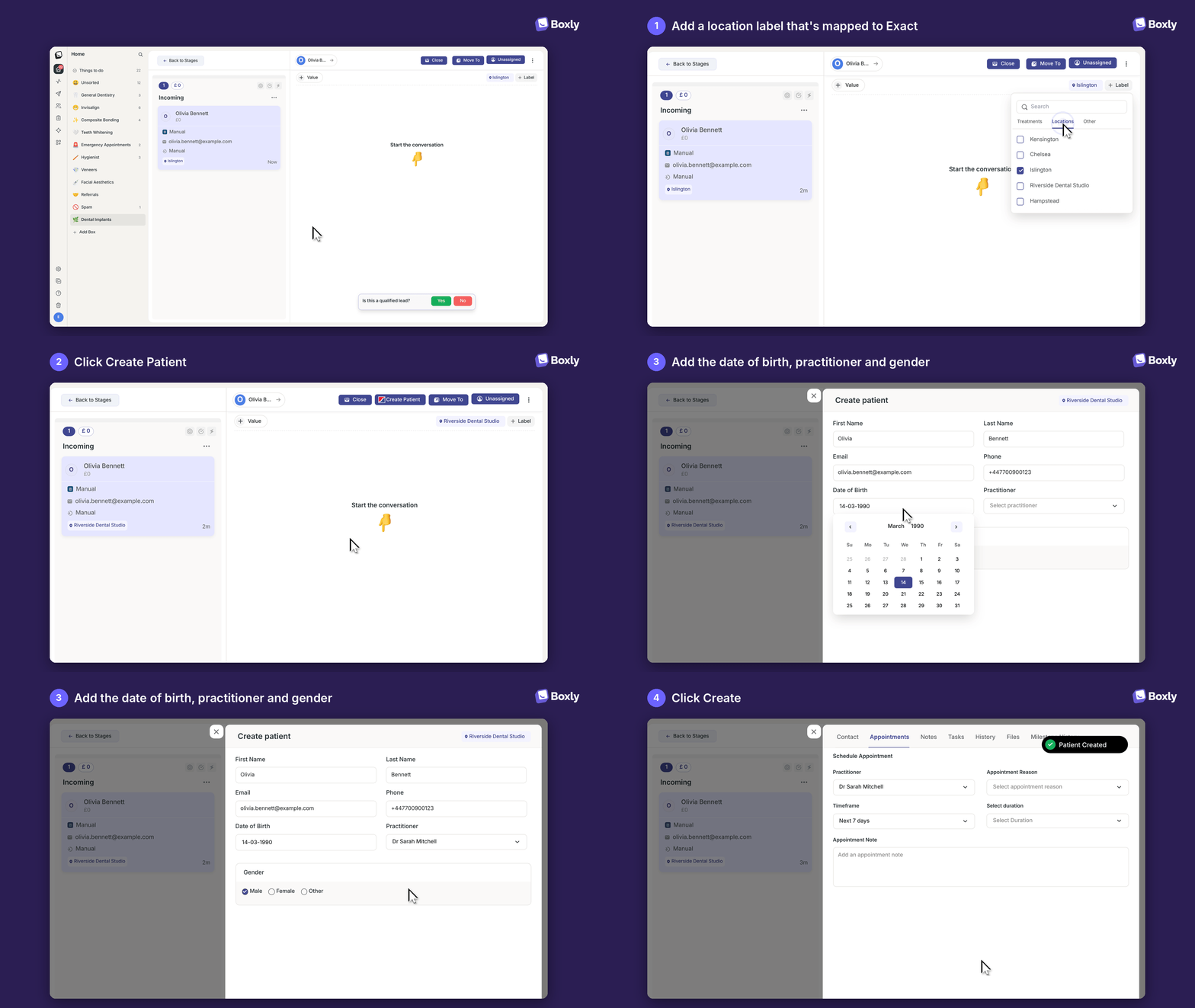
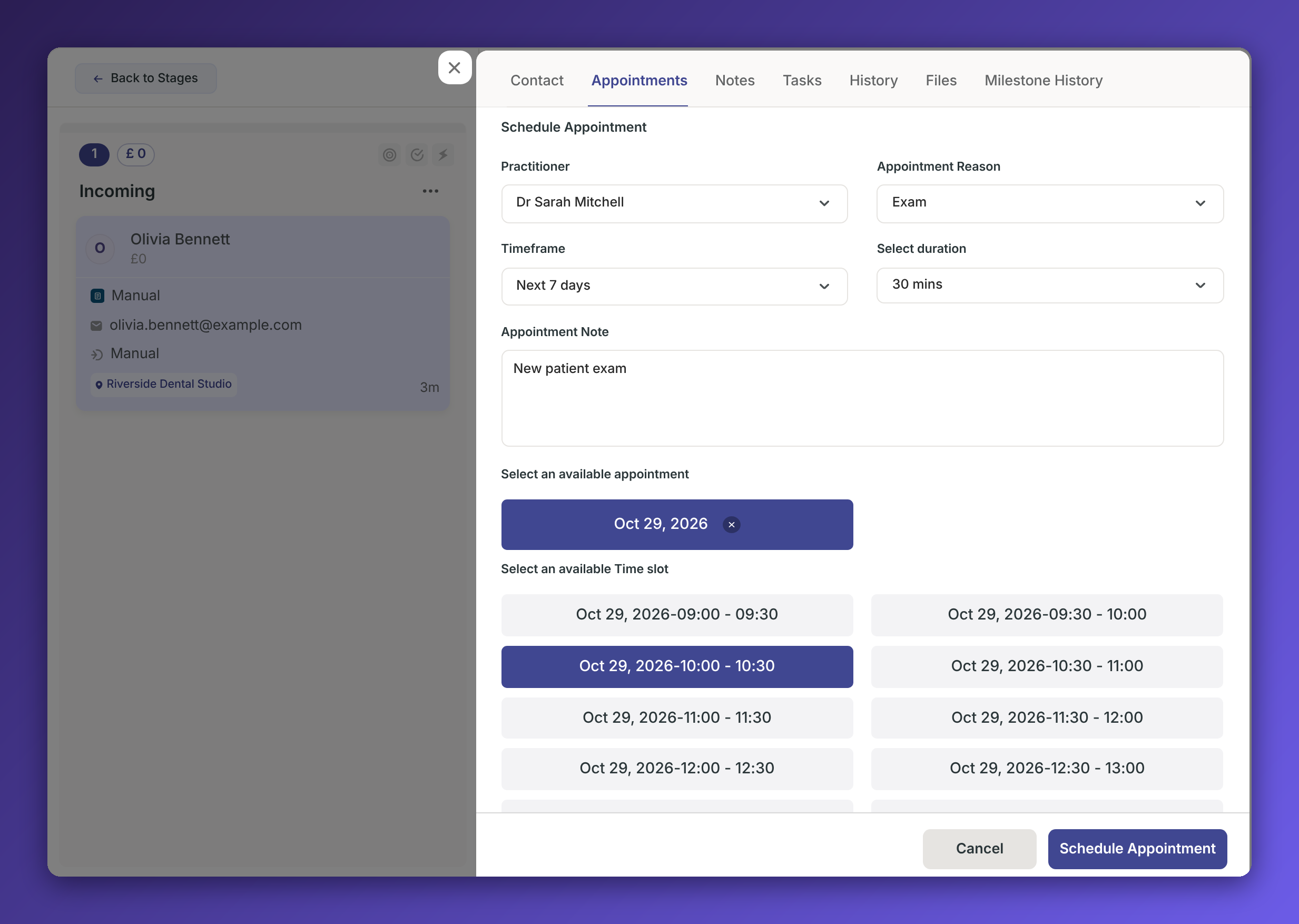
Once the patient is created, open the Appointments tab.
Choose the Practitioner, Appointment Reason, Timeframe and Duration, pick a time, add a note if you need to, then click Schedule Appointment. The appointment is created in Exact as soon as you schedule it.
To bring in appointments booked or changed in Exact, click the Sync appointments icon next to + Appointment.
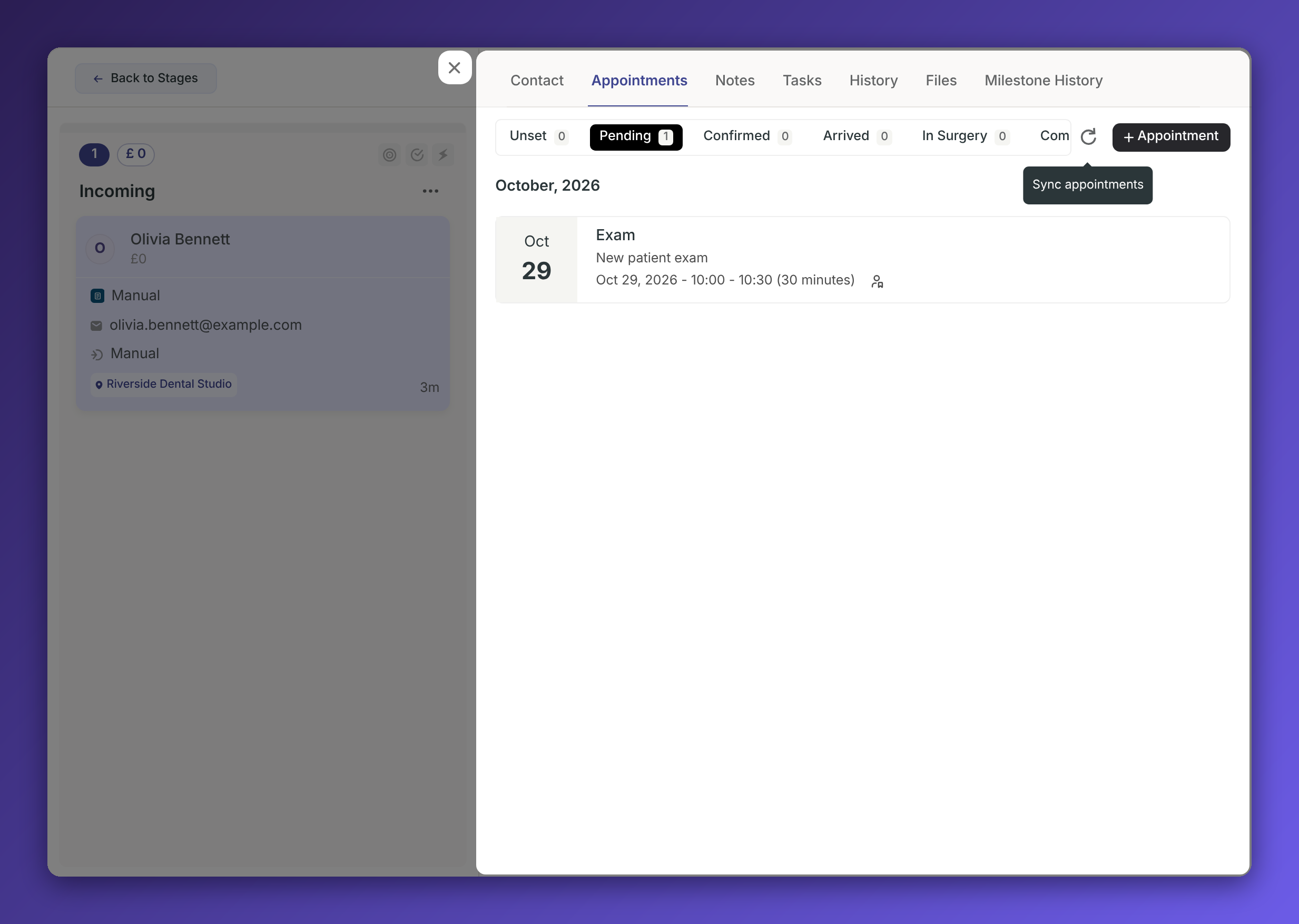
Boxly fetches the latest appointments from Exact and shows each one with its current status, for example Pending, Confirmed or Arrived.
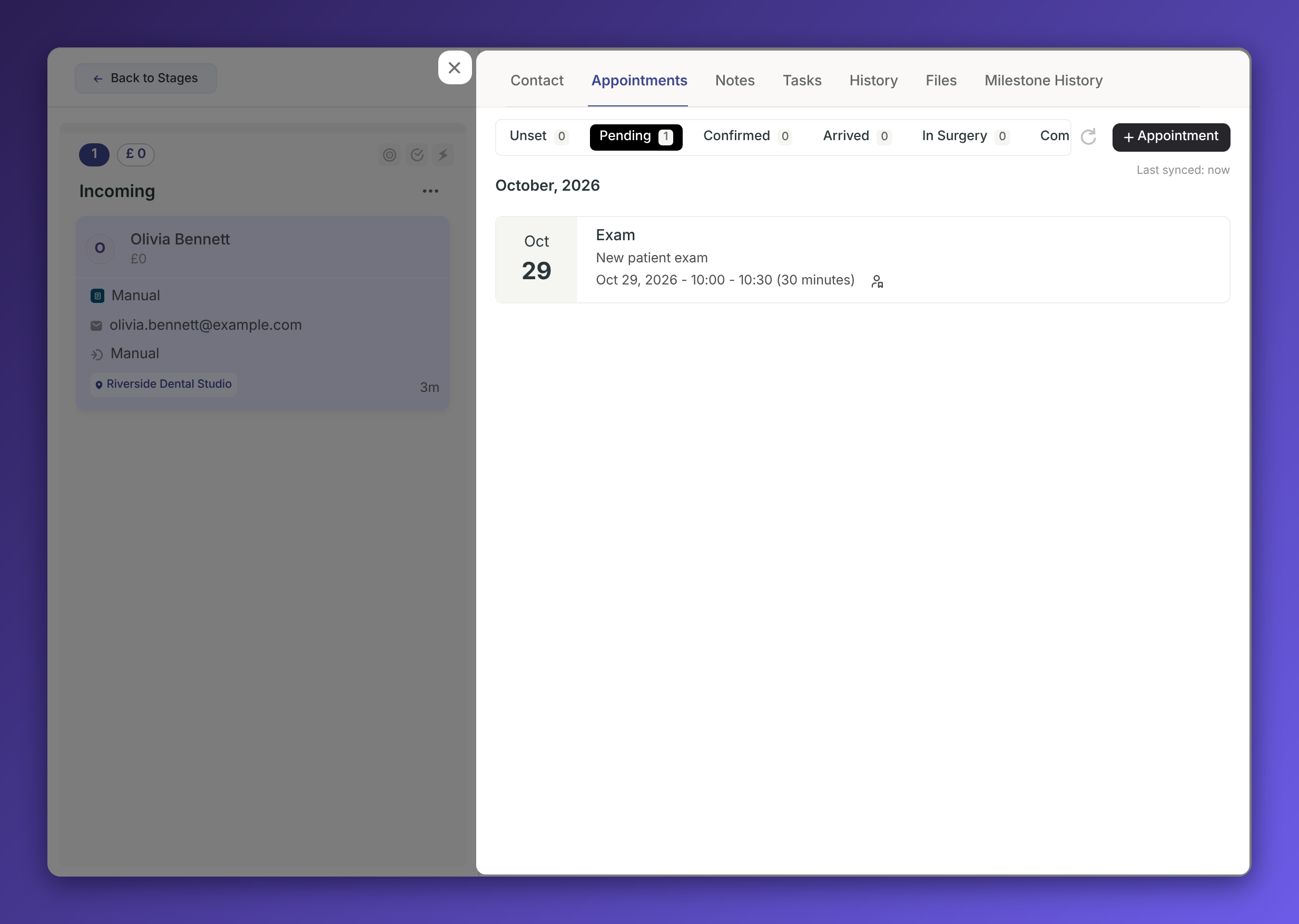
If a sync fails, wait a few minutes and try again.
When you click Create Patient, Boxly checks whether Exact already has a patient with the same details. If it does, you’ll see the matching patients with their name, date of birth and email.
Check the name, date of birth and email against the person who enquired.
Select the right patient.
Click Link Patient. No new patient is created in Exact.
If an appointment is cancelled in Exact, click Sync appointments on the lead to bring the cancellation into Boxly. Boxly marks the appointment as Cancelled on the lead.
Patients created in SOE(Exact) are not created in Boxly
Changes to a patient’s details in Boxly or Exact don’t sync between the two
Appointment sync does not run automatically
Appointment changes in Exact don’t move leads between stages, add notes or trigger automations. Check the appointment on the lead and move it yourself.
Boxly can’t see live availability in Exact, so check the Exact diary before booking.
Do I need my Exact username and password to connect?
No. Ask SOE to switch on the Boxly integration for your practice, then enter your Practice ID in Boxly.
Can Boxly see my live availability in Exact?
No. Boxly suggests appointment times based on gaps between the day’s appointments, so always check your Exact diary before confirming a time with the patient.
Will a lead move to a new stage when its appointment changes in Exact?
No. Open the lead to check the appointment and move the lead yourself.
Will patients I add in Exact appear in Boxly?
No. Only appointments come across and only when you click Sync appointments on the lead.
Can patients book online through Boxly with Exact?
No. Online booking isn’t available with Exact. Your team books appointments from the lead in Boxly.
✔ Connect Exact with your Practice ID
✔ Map your locations and practitioners
✔ Create patients, or link ones already in Exact
✔ Book appointments and sync updates from Exact
✔ Check the Exact diary before you book
Boxly is here to help you work smarter, not harder - let’s keep streamlining your lead management together!
Contact us at [email protected] if you need any assistance!