This guide walks you through how to connect Pabau to your Boxly account and use the integration to turn leads into patients without leaving Boxly.

To get started, connect Boxly to Pabau using an API key from your Pabau account.
In Boxly, go to Channels and click Connect a new channel.
Select Pabau from the list.
Enter your Pabau API Key and click Connect Pabau.
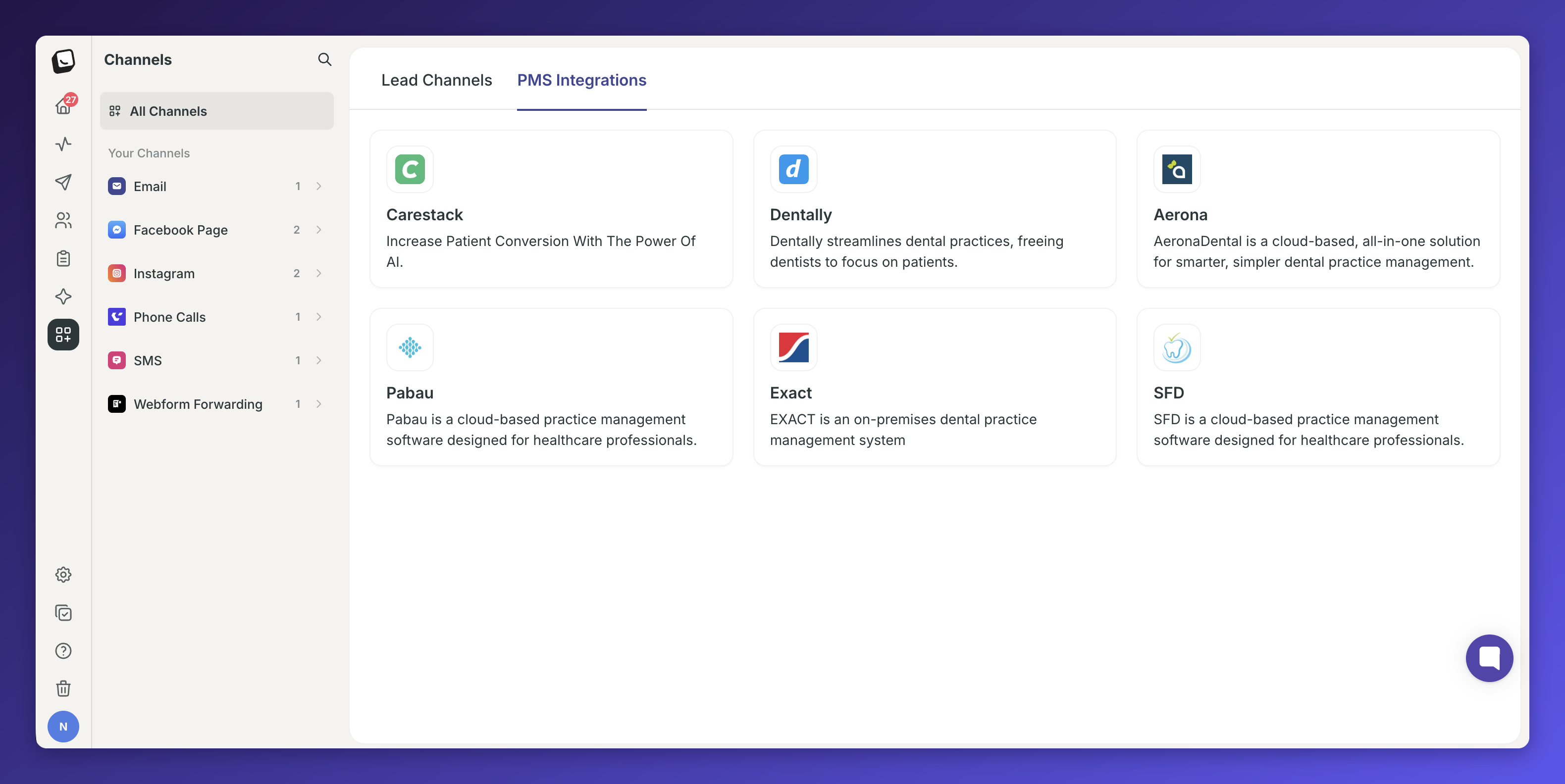
If you have multiple locations in Pabau, Boxly will pull them all in automatically under the Locations tab.
Go to the Locations tab inside the Pabau channel settings.
You will see all your Pabau locations listed on the left.
Use the dropdown on the right to map each Pabau location to the correct Boxly location.
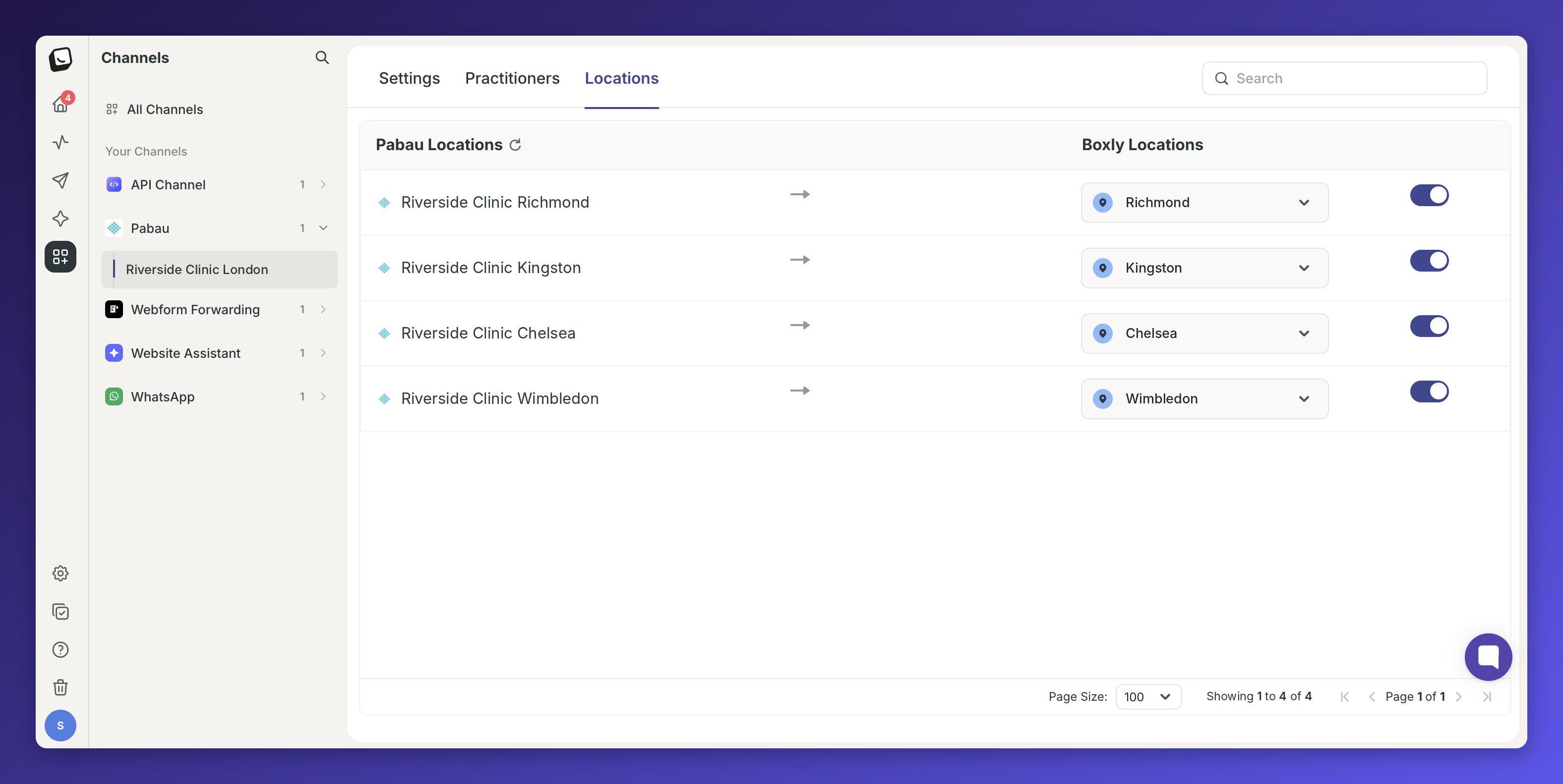
Toggle each location on or off as needed
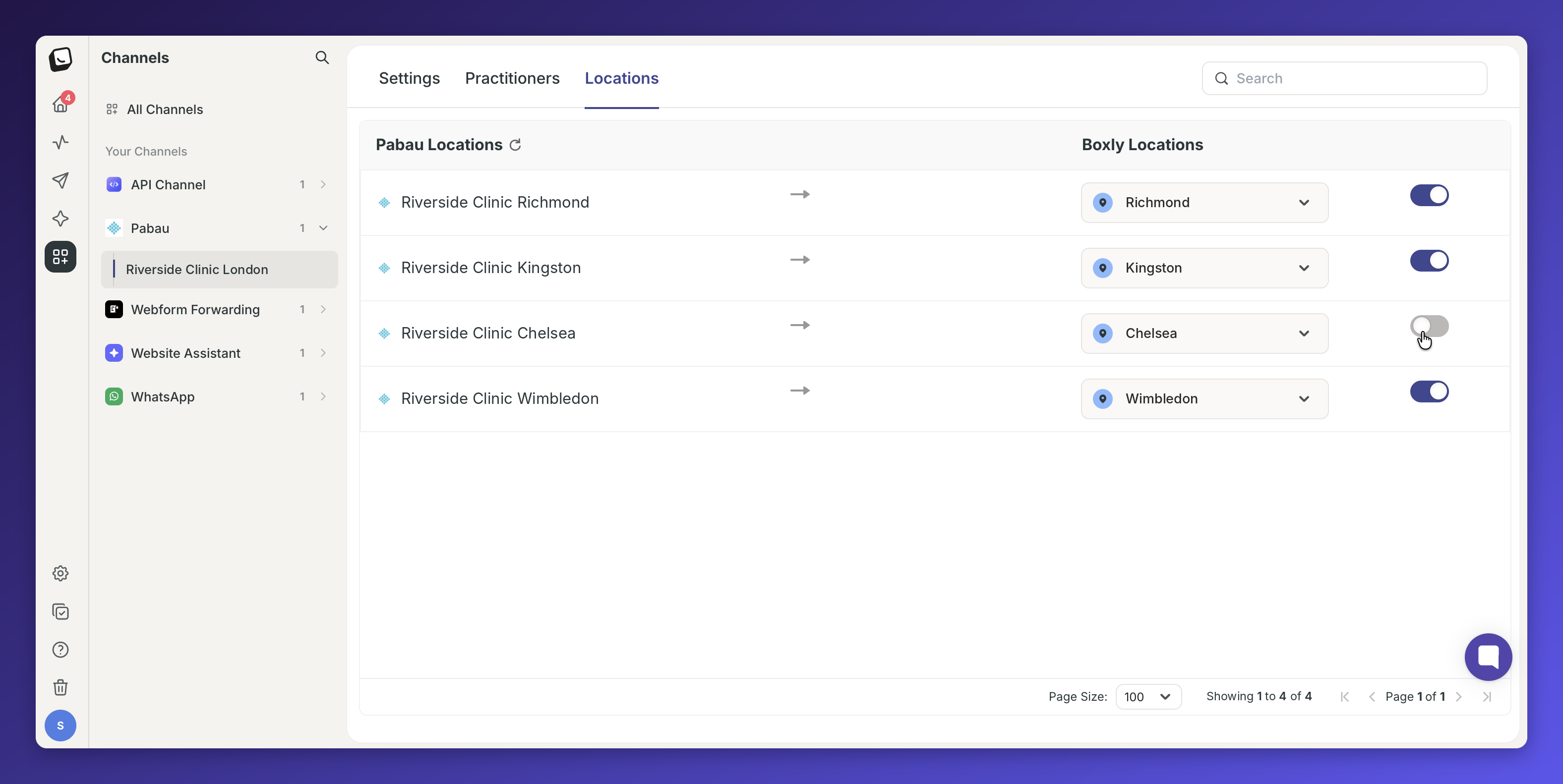
If you have added a new location in Pabau, select Sync in the Locations tab to bring it into Boxly.
Each Pabau location can only be mapped to one Boxly location.
Once a location is mapped, when a new lead comes in that matches that location, you will see a “Create Patient” button appear on that lead inside Boxly.
You can also link practitioners from Pabau to practitioners in Boxly. This step is entirely optional.
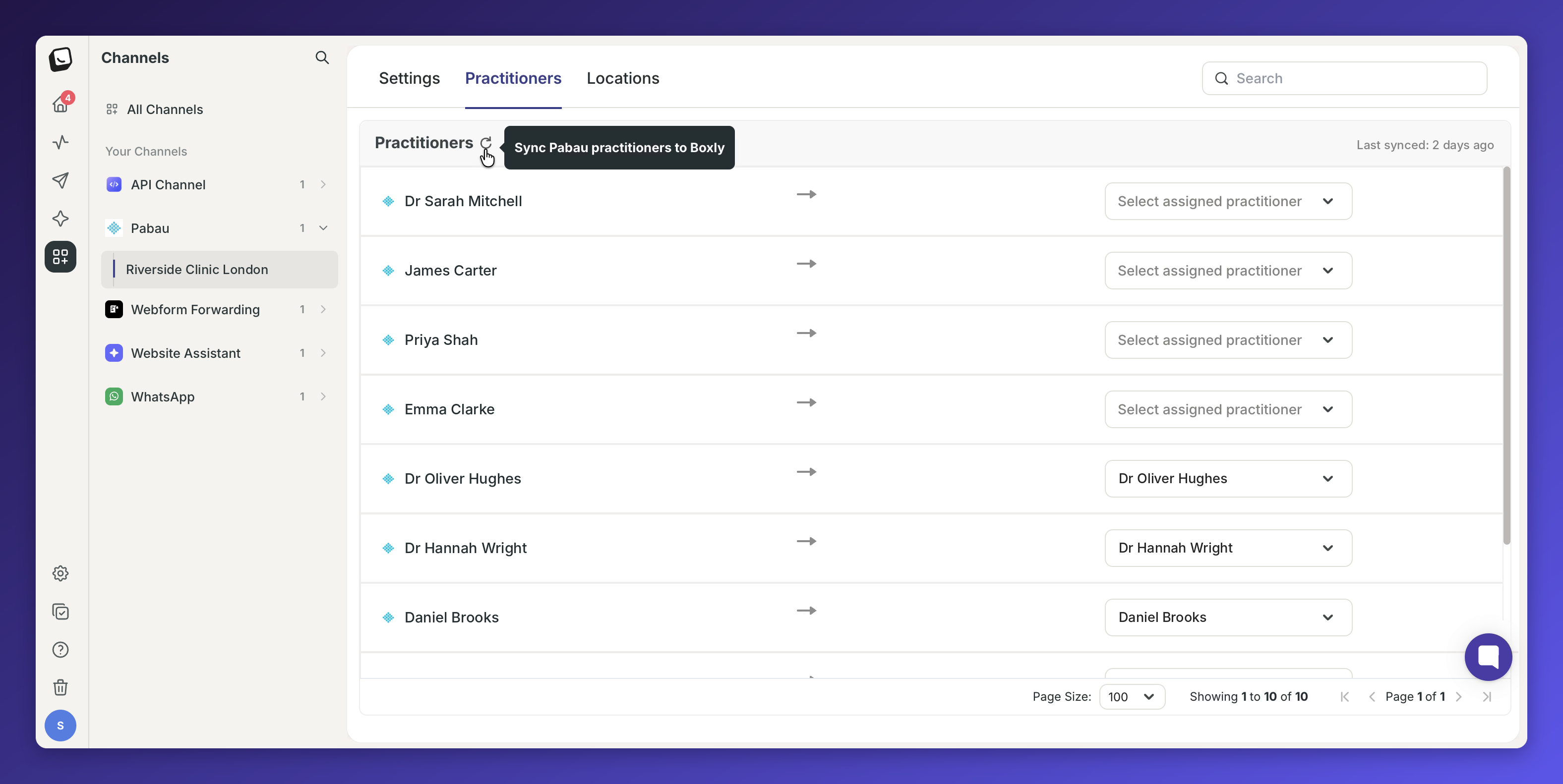
Go to the Practitioners tab inside the Pabau channel settings.
Your Pabau practitioners will be listed on the left.
Use the dropdown next to each name to assign them to a Boxly practitioner.
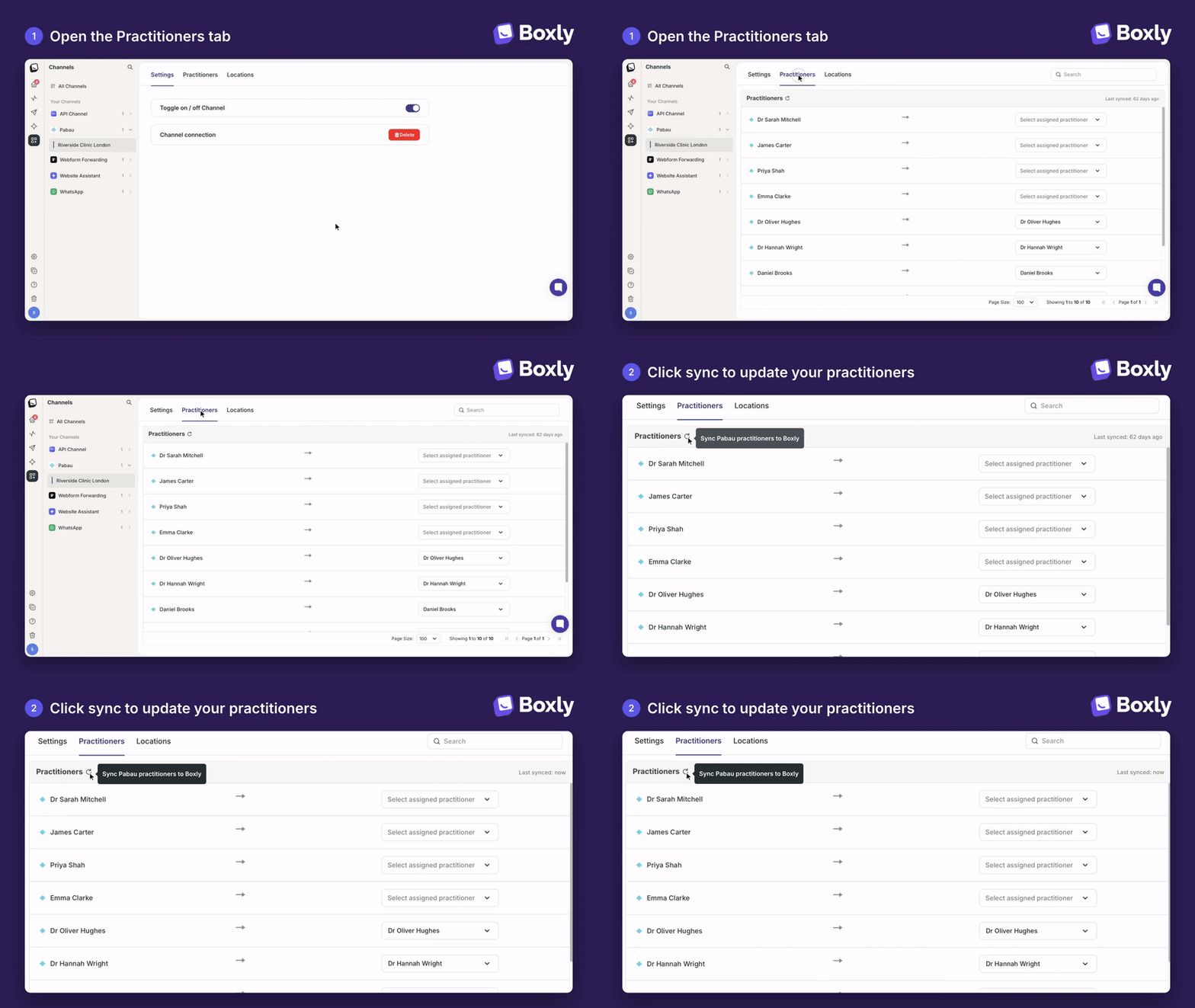
If you have added a new team member in Pabau, select Sync in the Practitioners tab to bring them into Boxly.
Mapped practitioners appear in the practitioner dropdown when you create a patient.

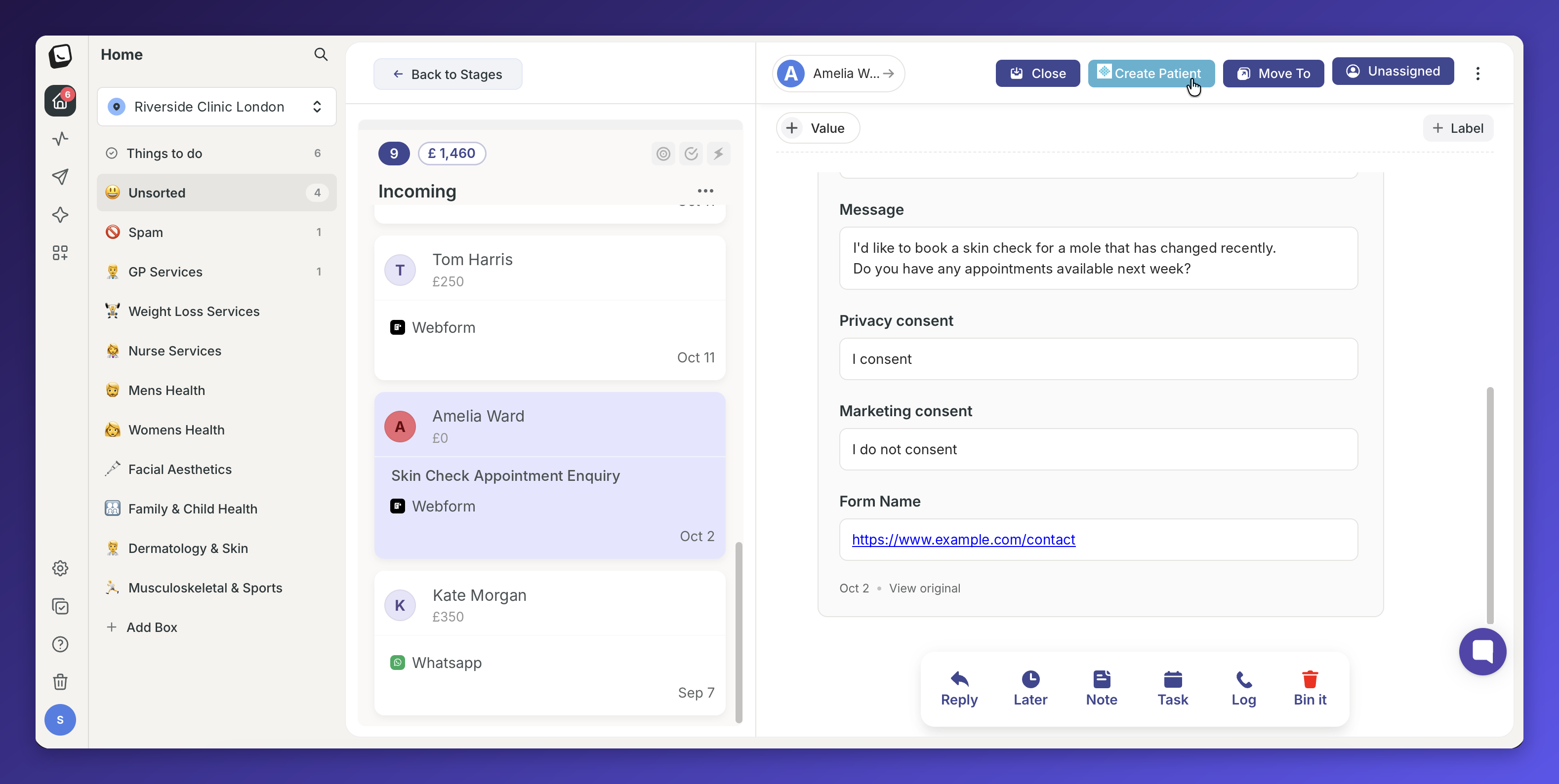
Open the lead in Boxly.
Click the Create Patient button.
Fill in the required fields:
First Name
Last Name
Phone
Date of Birth
Gender
Click Create.
The patient is created in Pabau straight away.
When you click Create Patient, Boxly checks Pabau for a patient with the same email address and phone number. If it finds one, you can link the lead to that patient instead of creating a new one.
✅ Check the matching patient’s details against the person who enquired
✅ Click Link Patient. No new patient is created in Pabau.
Once created, you can open the patient directly in your Pabau account. From there, book appointments, add clinical notes, and manage them as usual within Pabau.
The Pabau integration lets you create or link patients in Pabau from Boxly. It doesn’t bring appointment or payment information back from Pabau into Boxly.
What if the patient is already in Pabau?
When you click Create Patient, Boxly checks Pabau for a match. If it finds one, click Link Patient to connect the lead to that patient, so no duplicate is created.
Will a lead move to a new stage when an appointment is booked or cancelled in Pabau?
No. Check the appointment in Pabau and move the lead yourself.
Will revenue from Pabau show in my reports?
No. Your reports use each lead’s estimated value.
Can I use Pabau with a dental practice?
Yes. Contact your Customer Success Specialist to switch it on for your account.
Connect Pabau with your API key (read and write access required).
Map your Pabau locations to Boxly locations.
Map your practitioners (optional).
Create patients in Pabau from a lead, or link them to an existing patient.
Book appointments and manage patients in Pabau
Need help? Visit help.boxly.ai or contact us at [email protected].