Location-Based Sender Email allows Boxly automatically select the correct sender email for each lead based on their location.
Instead of creating separate automations for each location just to change the sender email, you configure the mapping once and Boxly handles the rest.
Location-Based Sender Email is not a new automation type. It is a sender option that says: "Send this email from whichever address is mapped to this lead's location."
Many teams managing multiple locations end up duplicating the same automation several times (once per location) simply because the sender email needs to be different.

This helps teams:
Reduce automation duplication across locations
Simplify setup and ongoing management
Avoid sender-email-related mistakes
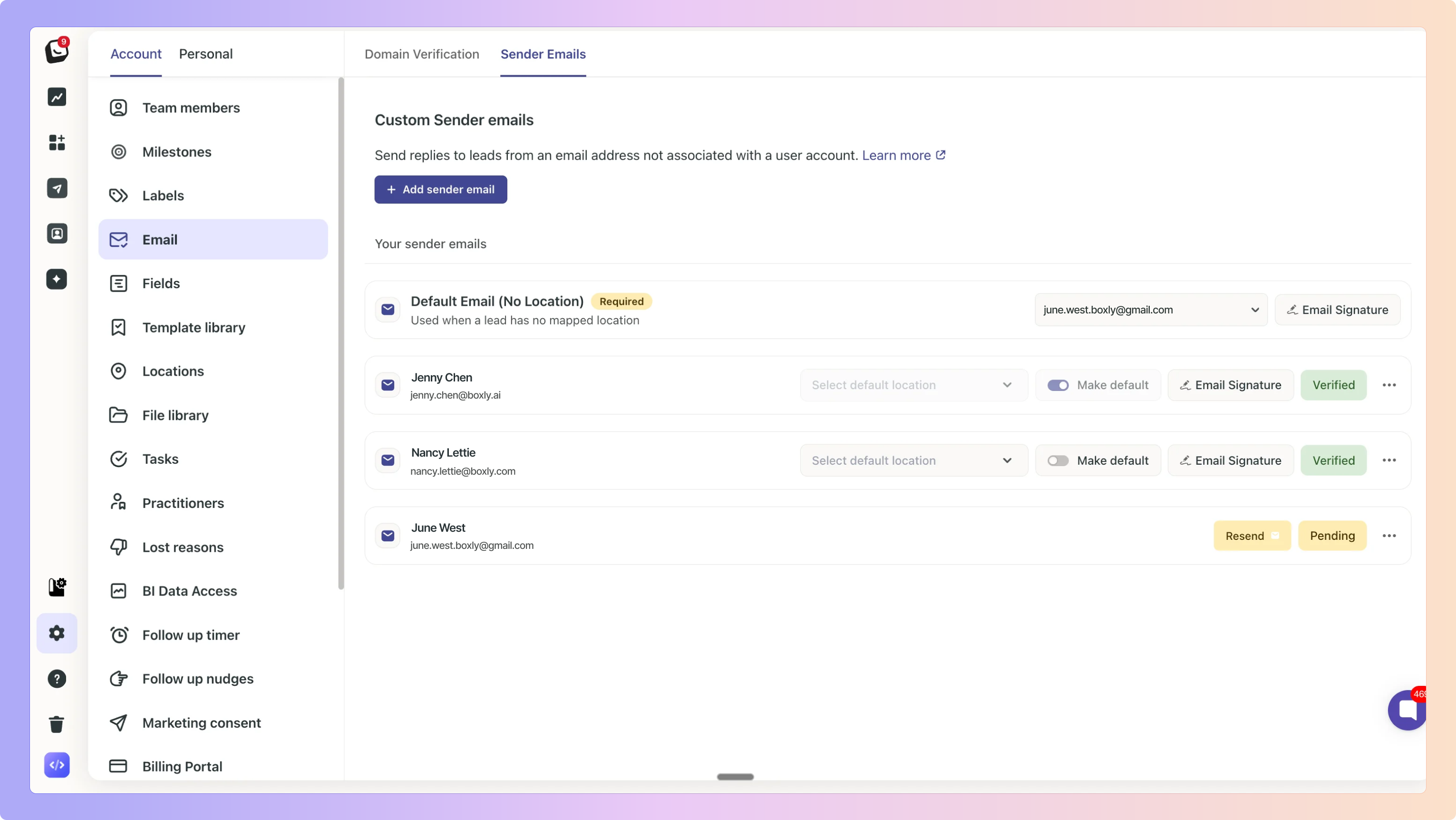
Sender email mappings are configured under:
Settings → Account → Emails → Sender Email
From here you can:
Map one verified sender email to each location
Set a mandatory default / no location sender email
Rules:
Only verified sender emails can be selected
A default / no location sender email is always required
Each location can have one mapped sender email
Mappings can be updated at any time

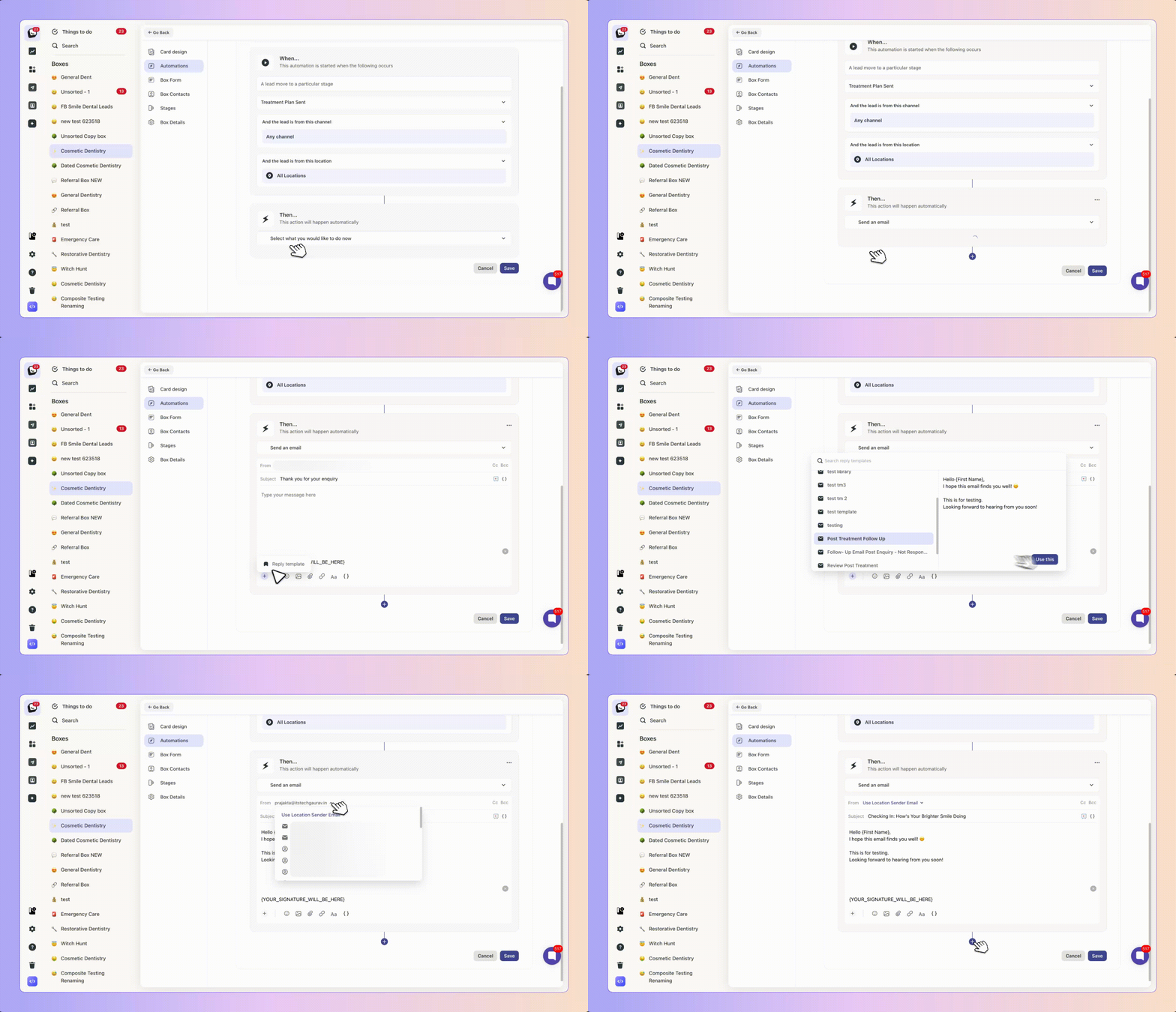
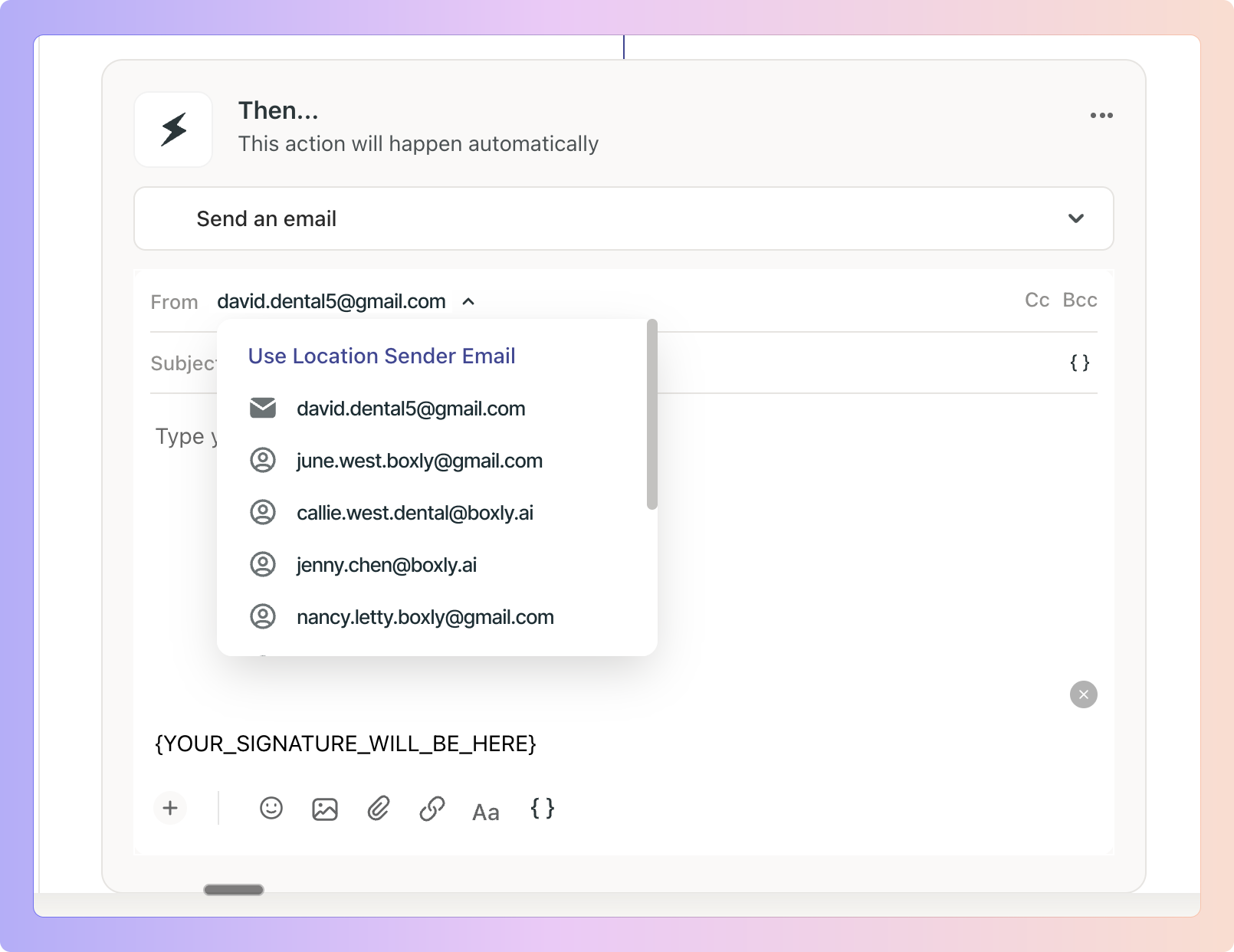
Inside an email automation, open the From dropdown and select Location Sender Email.
When selected:
You do not need to pick a fixed sender email manually
Boxly resolves the correct sender at send time based on the lead's location
If no mapping is found, the default sender email is used automatically
When an automation uses Location Sender Email, Boxly follows this logic at send time:
✅ Lead has a location with a mapped sender email → Sends from the mapped sender email.
✅ Lead has no location → Sends from the default / no location sender email.
✅ Lead has a location but no mapping exists for it → Sends from default / no location sender email.
✅ Account does not have Location plan → Sends from the default / no location sender email.
A dental group has five locations: London, Manchester, Birmingham, Leeds, and Bristol, each mapped to its own verified sender email.
The team creates one automation with all five locations selected and From set to Location Sender Email.
Result:
Leads from Manchester receive the email from [email protected]
Leads from Bristol receive the email from [email protected]
Leads with no location receive the email from [email protected]
No duplicate automations needed.
Boxly validates the resolved sender email at the moment the automation runs.
If the resolved sender is not verified:
The email will not be sent
The automation step will fail
Latest History will show a clear failure message
"Sender email is not verified. Automation failed because the selected location-based sender email is not verified. Please verify the sender's email and try again."
If the default sender email is missing or unverified:
"Automation failed because no valid default sender email is configured. Please update and verify your sender email settings."
Only Admins can configure sender email mappings.
Settings are located in:
Settings → Account → Emails → Sender Email
Priya manages automations for a dental group with clinics across five UK cities. Until now, she maintained five separate automations just because each city needed a different sender email.
With Location-Based Sender Email, Priya creates one automation, maps each location to its verified sender email in settings, and selects Location Sender Email in the From field.
Leads from Manchester now receive the email from [email protected]. Leads from London receive it from [email protected] - automatically, from a single automation.
When the email content needs updating, Priya changes it once. Every location benefits immediately.
Yes. All accounts can use this feature. Sender email will use the configured default / no location sender email.
Yes. A default / no location sender email must be set before the mapping can be saved.
Mapped locations use their mapped sender email. Unmapped locations fall back to the default sender email.
Boxly validates sender emails at send time. If unverified, the email will not be sent and Latest History will show a clear failure message.
Yes. Location Sender Email is an additional option. All existing sender options remain available.
Need Help? If you have questions about Location-Based Sender Email or need help configuring your sender mappings, our support team will be happy to help.
Multi-Location Plan 📍
Powerful plan for businesses with multiple locations, practices or venues to centrally manage all leads in one account.
Box automations
Automate receptive, time consuming processes