November has been all about keeping things running smoothly! Your box filters now stay put while you work, so you don't have to set them up again every time you come back to a box.
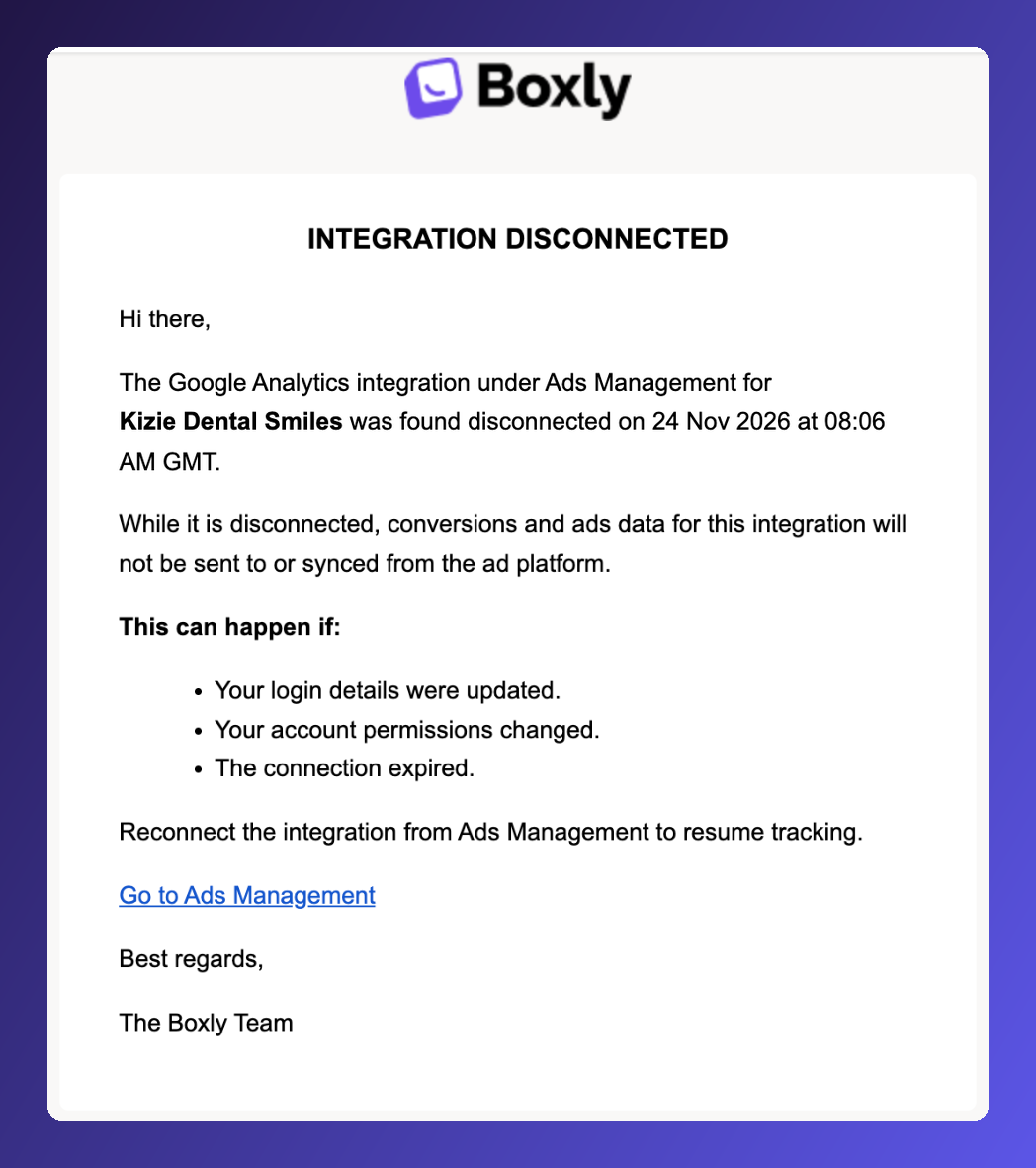
We've also added an email alert for when one of your ad connections drops, so your ad tracking never stops without you knowing.
And we're opening up two new features in beta:
Facebook ad spend in your reports
Attribution Tracker
Let's dive into what's new! 👇
When you filter a box, your filters now stay applied while you work. Open a lead, jump to another box or reload the page, and your filters are still there when you come back.
Each box remembers its own filters, just for you, so your teammates' views don't change. Click Clear whenever you want to see all your leads again.
🎥 Watch how your box filters stay applied:
Check out the Filter Box Leads ArticleIf Facebook Lead Ads, Google Ads or Google Analytics gets disconnected from Boxly, all your admins now get an email telling them which one has dropped.
When an ad connection drops, Boxly can't track the leads from those ads or send your results back to Google and Facebook. The email means you can reconnect it before you miss anything.
✅ Open the email to see which connection has dropped
✅ Go to Ads Management in Boxly and reconnect it
Be one of the first to try these new features. They're available on request, so just email our support team at [email protected] and we'll switch them on for you.
Your Facebook ad spend can now come straight into your Ad Spends Report, so you don't need to type it in by hand. Boxly uses it to work out your real cost per lead, cost per acquisition and return on ad spend for Facebook, right next to Google Ads.
Turn it on once for each Page: reconnect your Facebook Lead Ads channel, then switch on Ad spend in the Page's Settings tab and choose your ad accounts.
🎥 Watch how to bring your Facebook ad spend into Boxly
See how to set up Facebook ad spendPatients don't always enquire the first time they visit your website. They may browse your treatments and come back days later when they're ready to get in touch.
The Attribution Tracker shows you where those enquiries come from, whether it's a Google ad they clicked, a Facebook campaign, a Google search or another website that sent them to you. You can give the credit to the source that first brought the patient to your website (First Touch) or the last one before they enquired (Last Touch).
All you need to do is add a small piece of code to your website. Your forms, WhatsApp buttons and day-to-day processes keep working as normal.
🎥 Watch how to set up the Attribution Tracker:
See how to set up the Attribution TrackerA few more updates that make Boxly easier to use every day:
Leads stay in Things To Do until your team acts on them: automated messages, notes and tasks no longer take a lead off the list, so no lead disappears before someone has looked at it.
See which channel your ad conversions came from: in Google Ads, Meta and Google Analytics, you can now see which Boxly channel each conversion came through, such as WhatsApp or a web form, so you can tell which channels bring in your best patients.
Automations check your template locations before going live: if a template in an automation is set up for a location the automation doesn't cover, Boxly now stops you publishing it and tells you why, so messages always go out from the right location.
Know why a test broadcast wasn't sent: if you send a test broadcast to someone who has opted out of marketing messages, for example a patient who unsubscribed, Boxly now tells you they've opted out instead of just showing that the test failed.
For multi-site groups: org admins can now clone a box, with its stages and automations, into another of your accounts. We can also set things up so every new account you add gets BI access straight away. Just ask us and we'll switch these on for you.
That's everything new for November! Every update is built to save your team time and help you turn more enquiries into patients.
Have a question about any of these updates? Contact us at [email protected] and we'll be happy to help.