Log into www.facebook.com
Click your profile picture in the top right corner
Click settings and privacy
Click settings
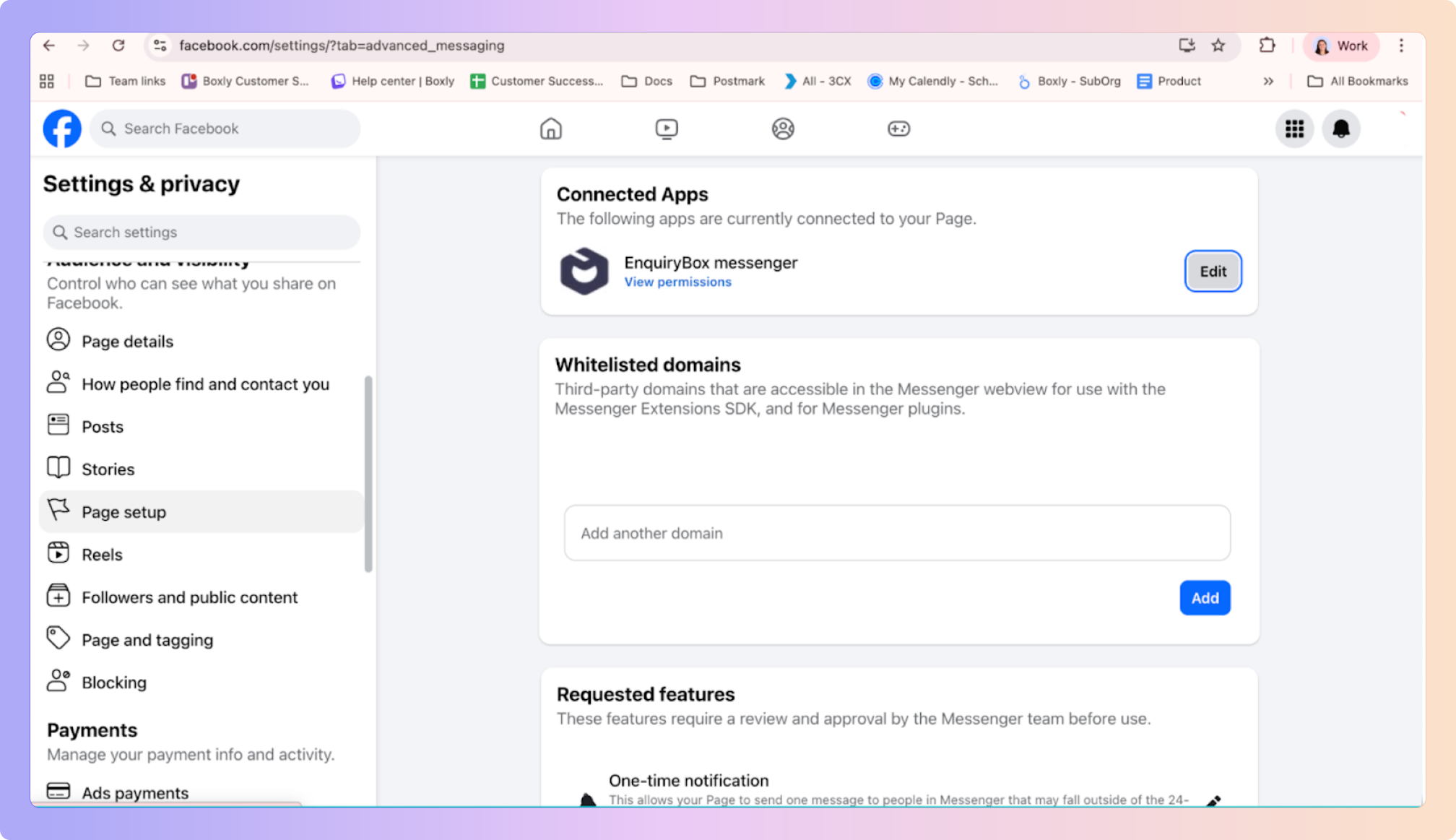
Scroll down on the left menu and click page setup
In Page setup, click Advanced Messaging
Click edit next to Enquirybot Messenger
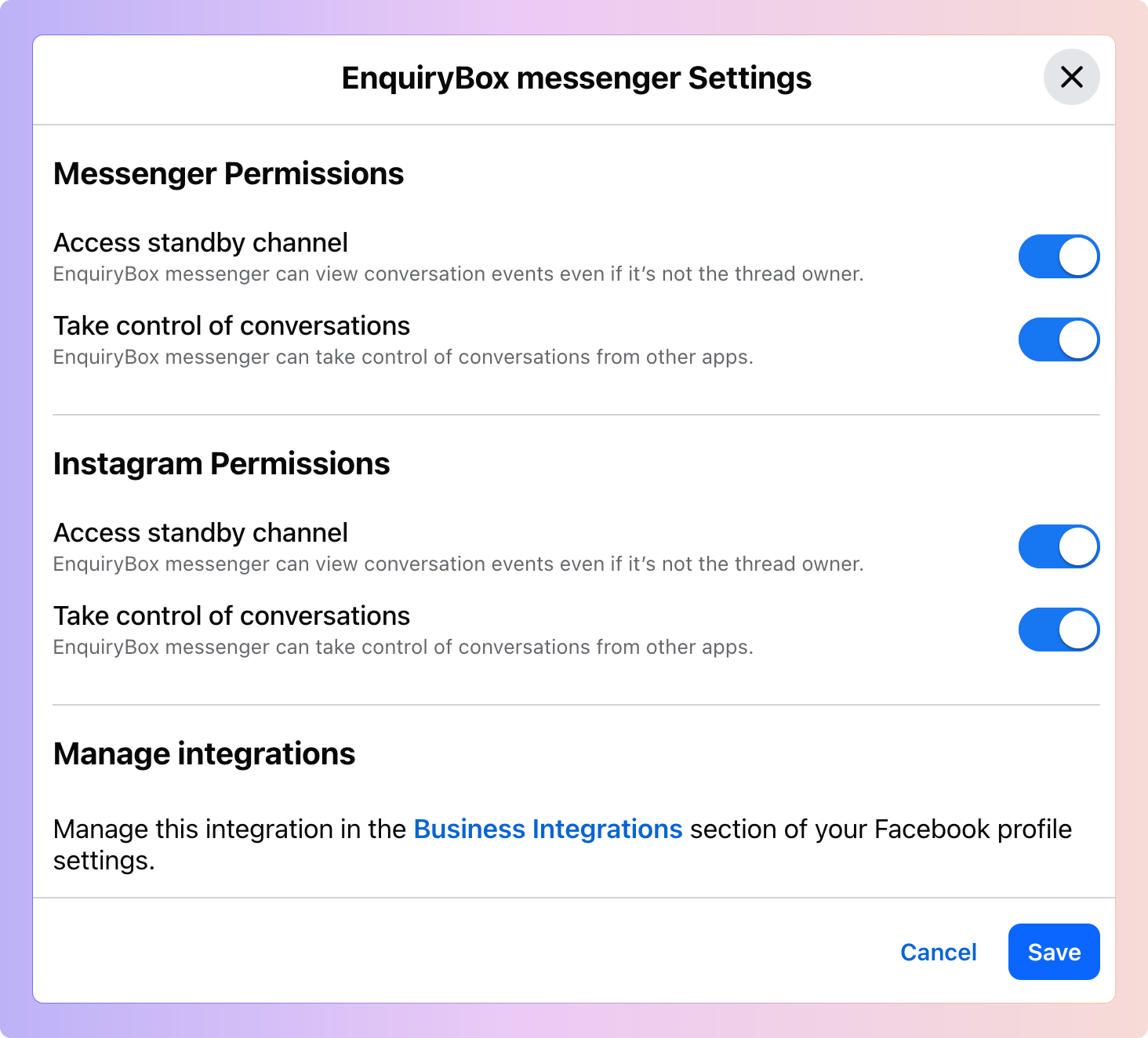
Make sure all of the below toggles are on and save
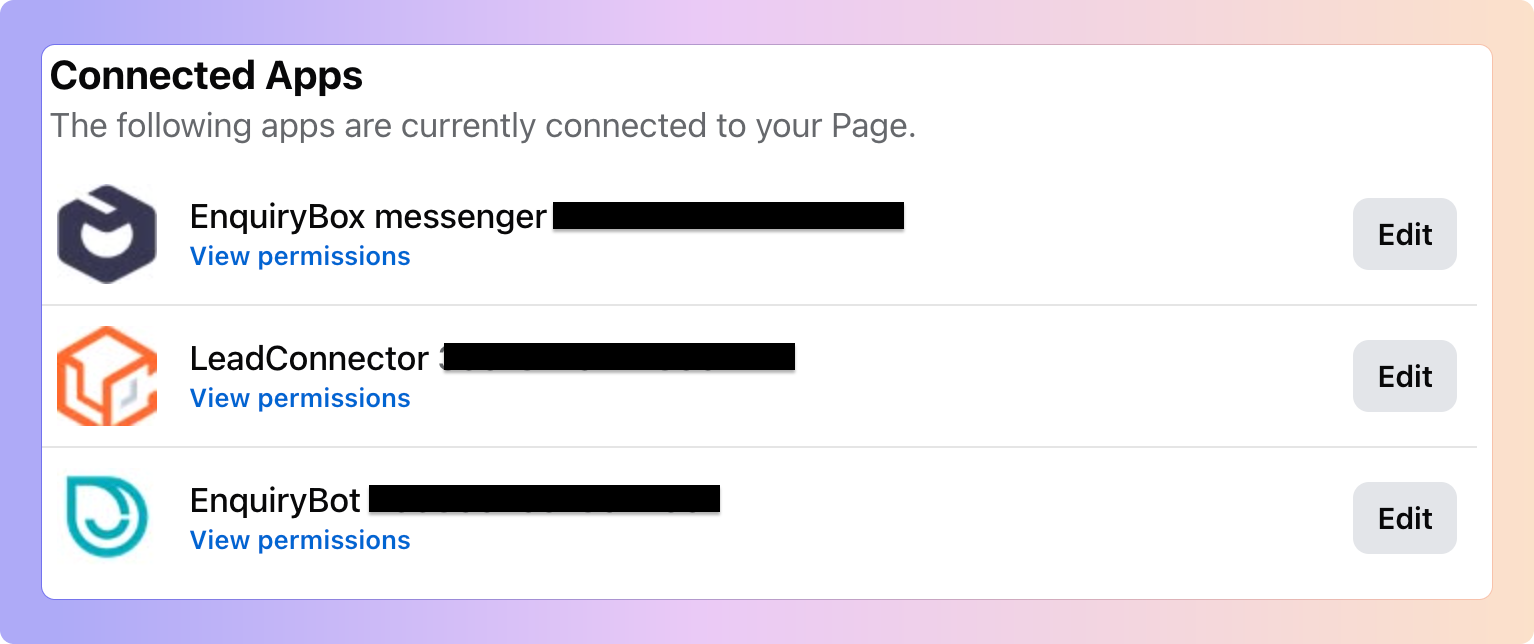
Should you have any other CRMs, including Enquirybot, please turn off the toggles for them, there should be no Toggles on except for Enquirybox Messenger
Go to business.facebook.com
Click your profile picture on the left, then click settings
Scroll down on the left menu to Integrations
Click “Conversation Routing”
Make sure all of the toggles are ON for Enquirybox and off for all other channels
✅ Click on Conversation Routing
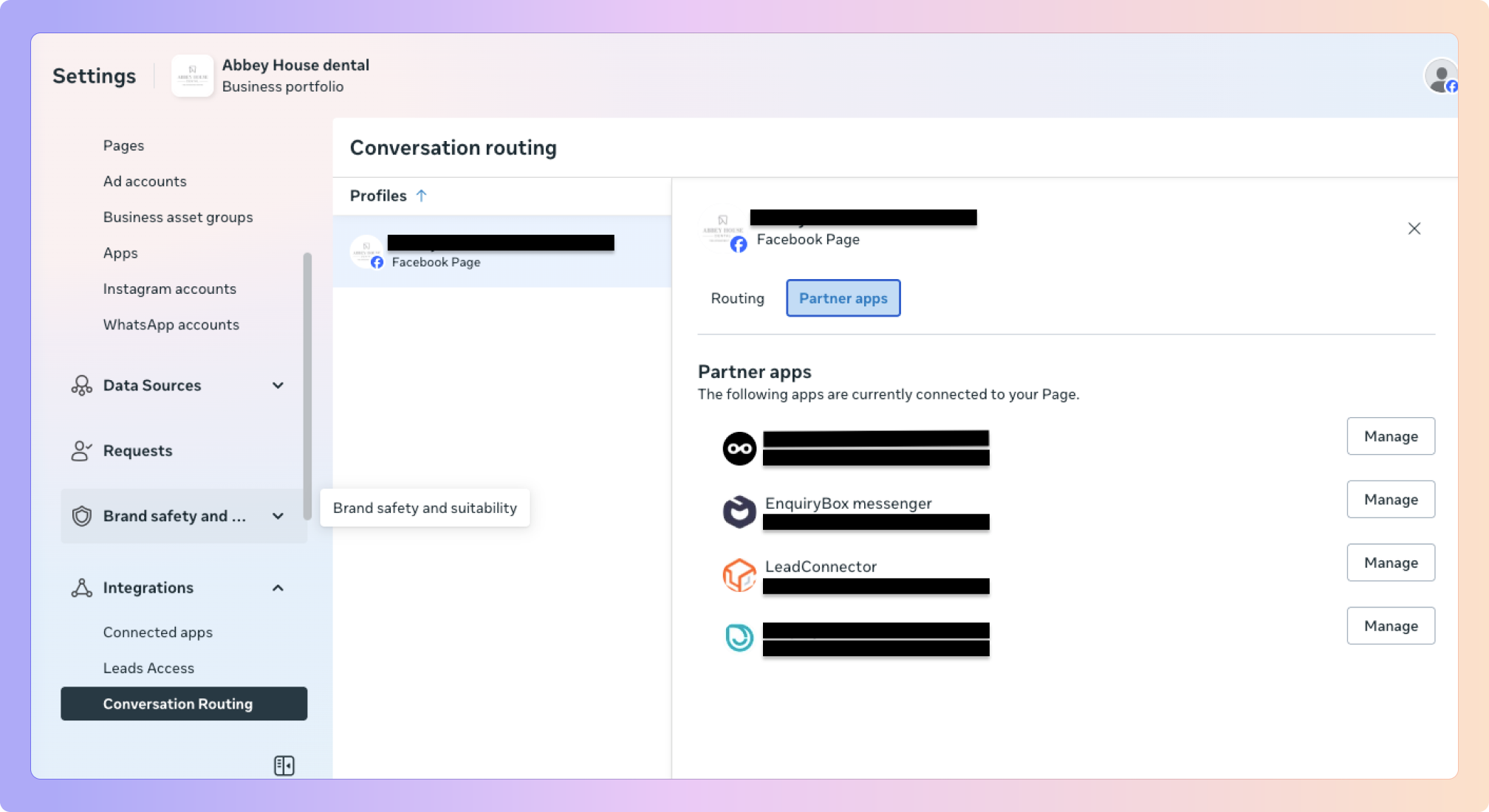
Make sure Enquirybox is the Primary receiver and all other toggles are switched off. Sometimes Meta has Messenger as the primary receiver, and you will only be able to see messages in the Facebook Messenger app
Click the hamburger menu on your profile
Scroll down and click Messages and story replies
Click Message requests
Turn on the toggle that says “Allow access to messages”
Boxly is here to help you work smarter, not harder - let’s keep streamlining your lead management together!
Contact us at [email protected] if you need any assistance!